> ## Documentation Index
> Fetch the complete documentation index at: https://docs.salescaptain.com/llms.txt
> Use this file to discover all available pages before exploring further.
# Custom Fields
> Custom fields let you store additional information about each contact beyond the standard name and phone number. This makes segmentation, reporting, and personalization much more powerful.
## **Adding and Editing Custom Fields**
* Go to **Contacts → Options → Manage Custom Fields**.
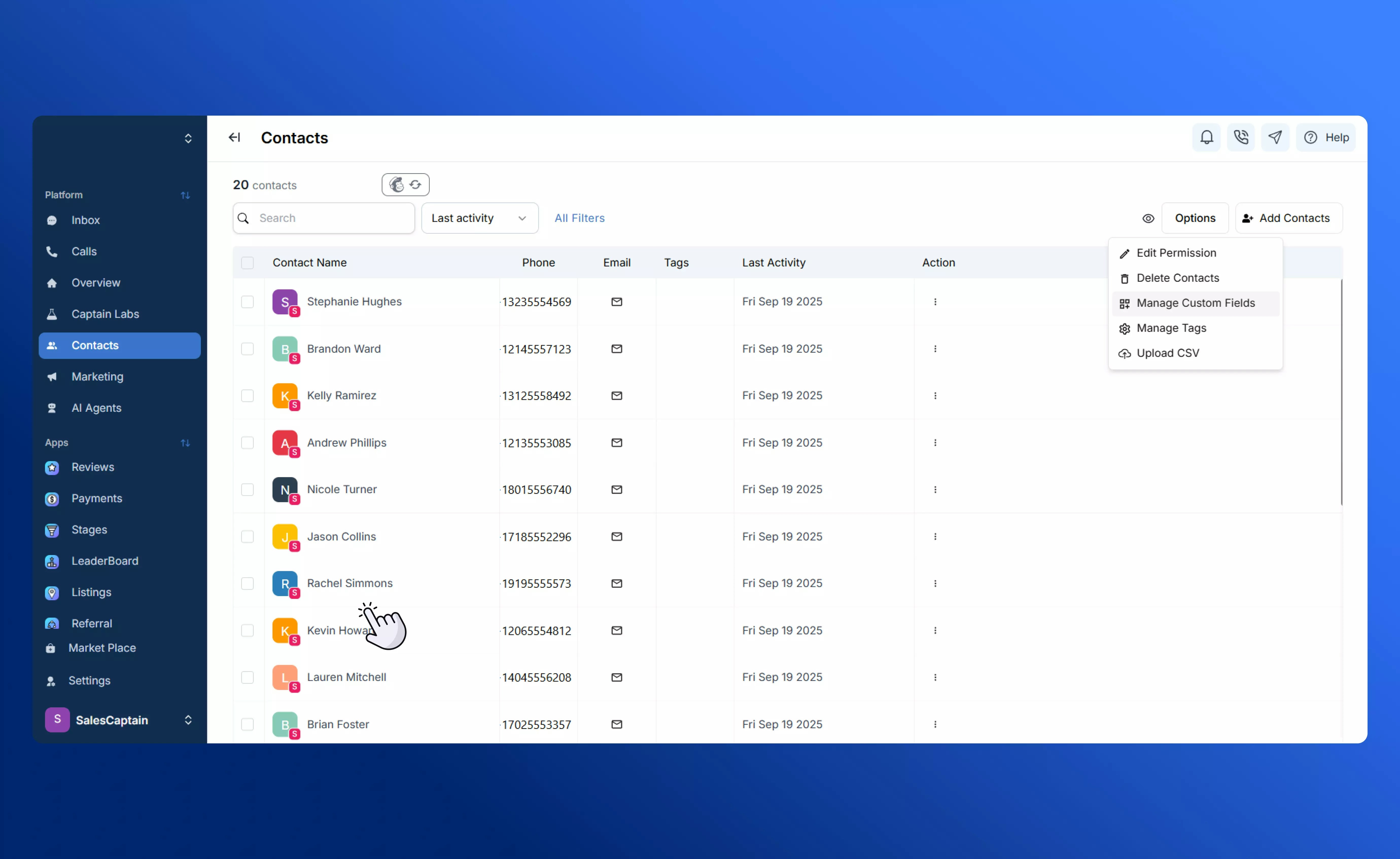 * Create a new field by specifying its type (date, number, currency, text) and name.
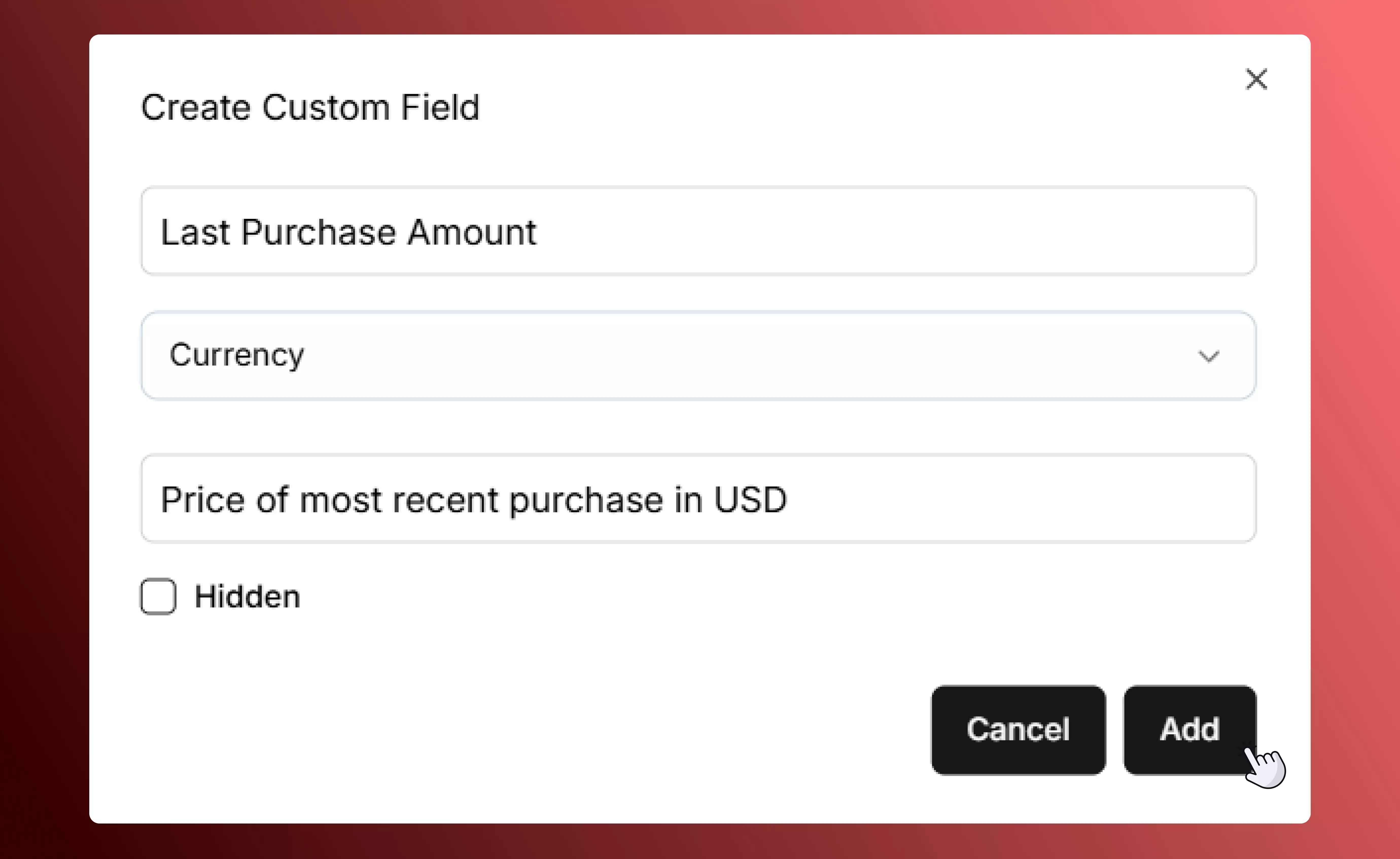 * Hide a field if you don’t want it displayed in the main Contacts tab — it will remain in your database but won’t clutter your view.
* You can edit or add new custom fields anytime from the list, especially before large imports or campaigns.
### **How Custom Fields Work**
* Each contact holds **one value per custom field** (for example, one “Purchase Amount” per contact).
* You can define as many different custom fields as your business needs.
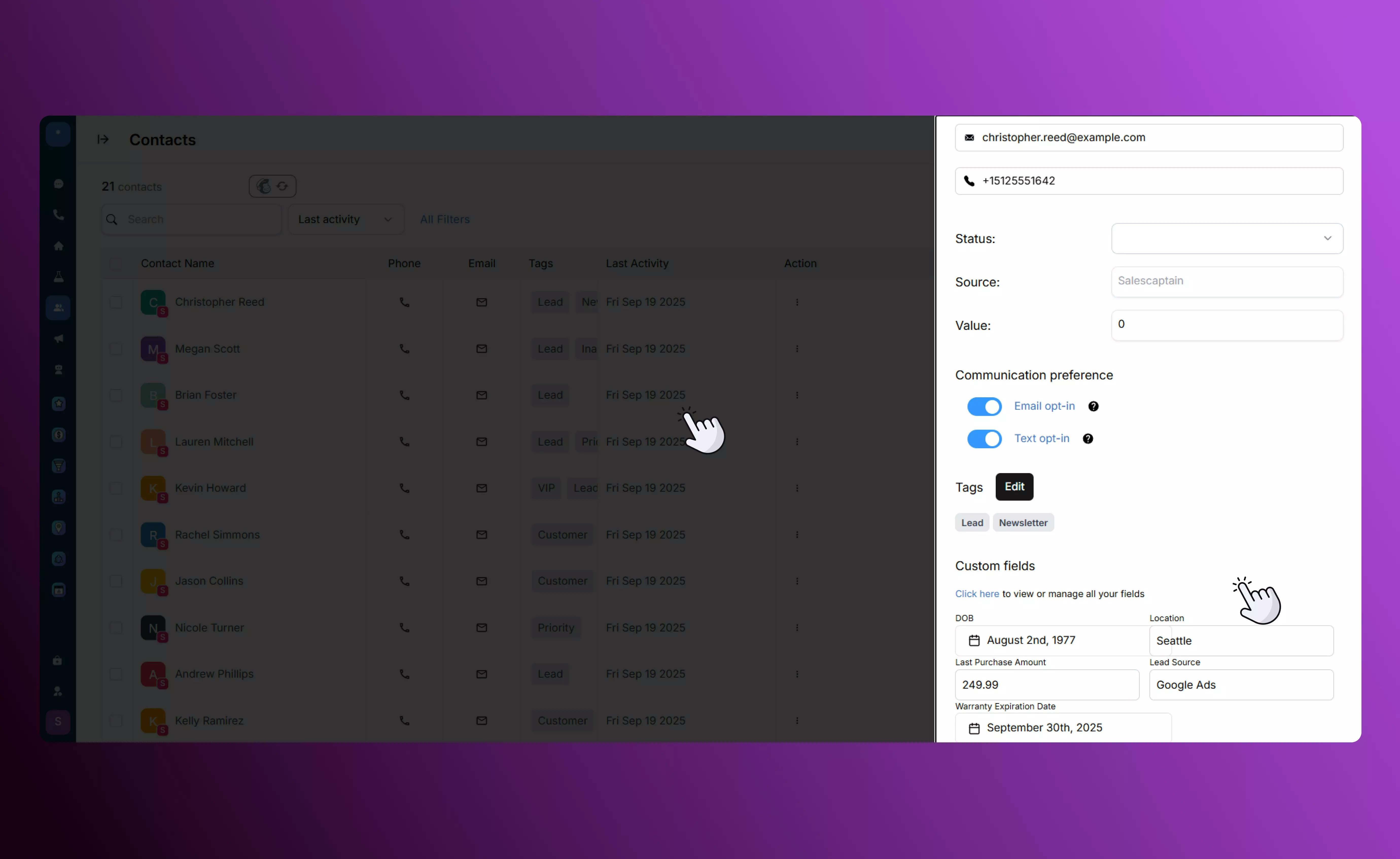
* When adding or editing a contact, your custom fields appear automatically for you to input values.
* Hide a field if you don’t want it displayed in the main Contacts tab — it will remain in your database but won’t clutter your view.
* You can edit or add new custom fields anytime from the list, especially before large imports or campaigns.
### **How Custom Fields Work**
* Each contact holds **one value per custom field** (for example, one “Purchase Amount” per contact).
* You can define as many different custom fields as your business needs.
* When adding or editing a contact, your custom fields appear automatically for you to input values.
 Learn more about using custom fields to [filter and manage contacts.](Managing-Contacts)
### **Best Practices**
* Plan ahead: decide which data you’ll want for future campaigns so your fields stay consistent.
* Keep field types consistent (e.g. always use “currency” for amounts). This makes filtering easier later.
* Review and clean up unused custom fields periodically to keep your data organized.
Learn more about using custom fields to [filter and manage contacts.](Managing-Contacts)
### **Best Practices**
* Plan ahead: decide which data you’ll want for future campaigns so your fields stay consistent.
* Keep field types consistent (e.g. always use “currency” for amounts). This makes filtering easier later.
* Review and clean up unused custom fields periodically to keep your data organized.