> ## Documentation Index
> Fetch the complete documentation index at: https://docs.salescaptain.com/llms.txt
> Use this file to discover all available pages before exploring further.
# Using Tags
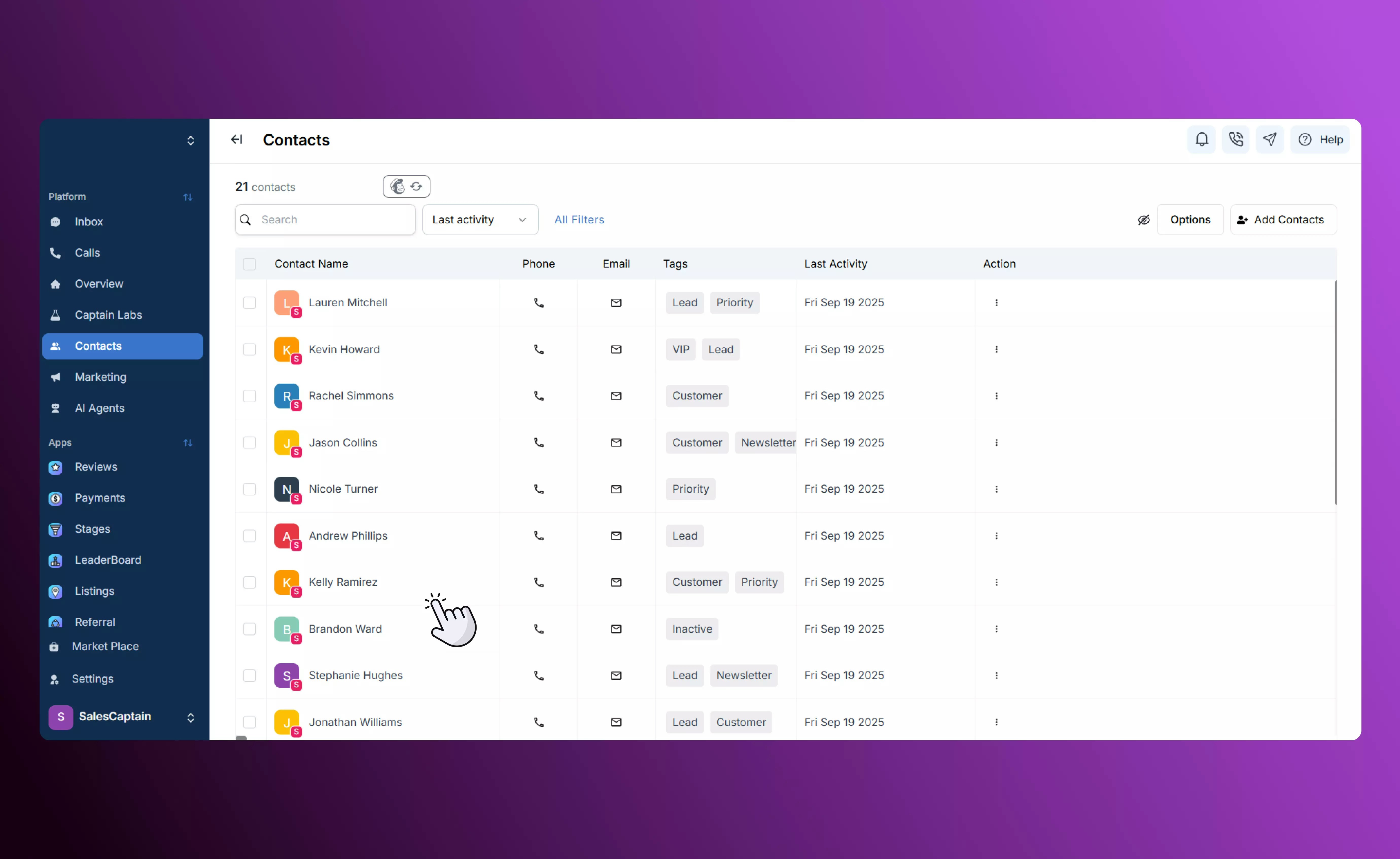
> Tags are flexible labels that you can attach to any contact to organize your database. They’re independent of custom fields and give you an easy, visual way to group contacts for campaigns, track where leads come from, or report on customer behaviors.
## **Creating and Managing Tags**
Adding and managing tags is simple and can be done at any time:
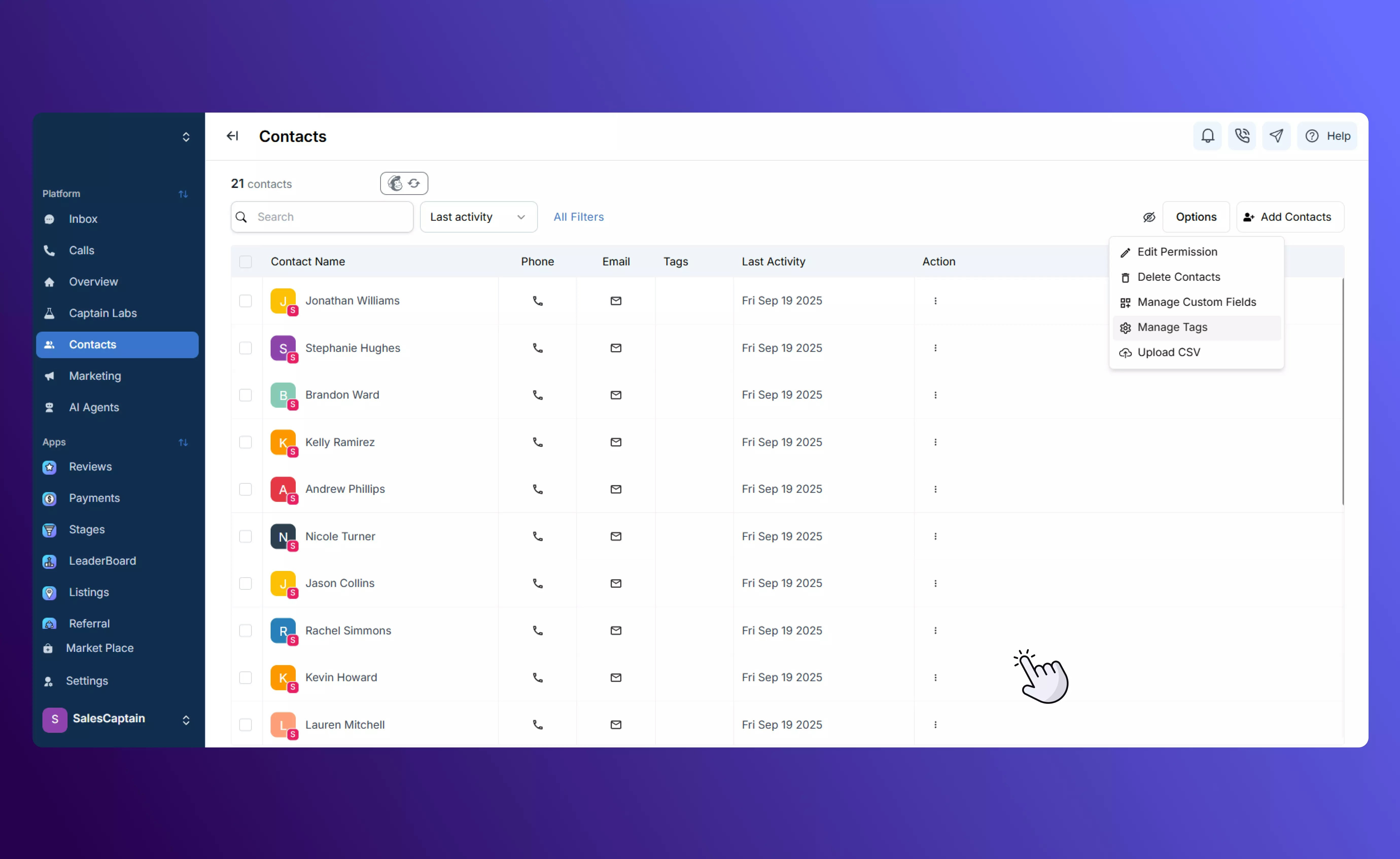
* Navigate to **Contacts → Options → Manage Tags**.
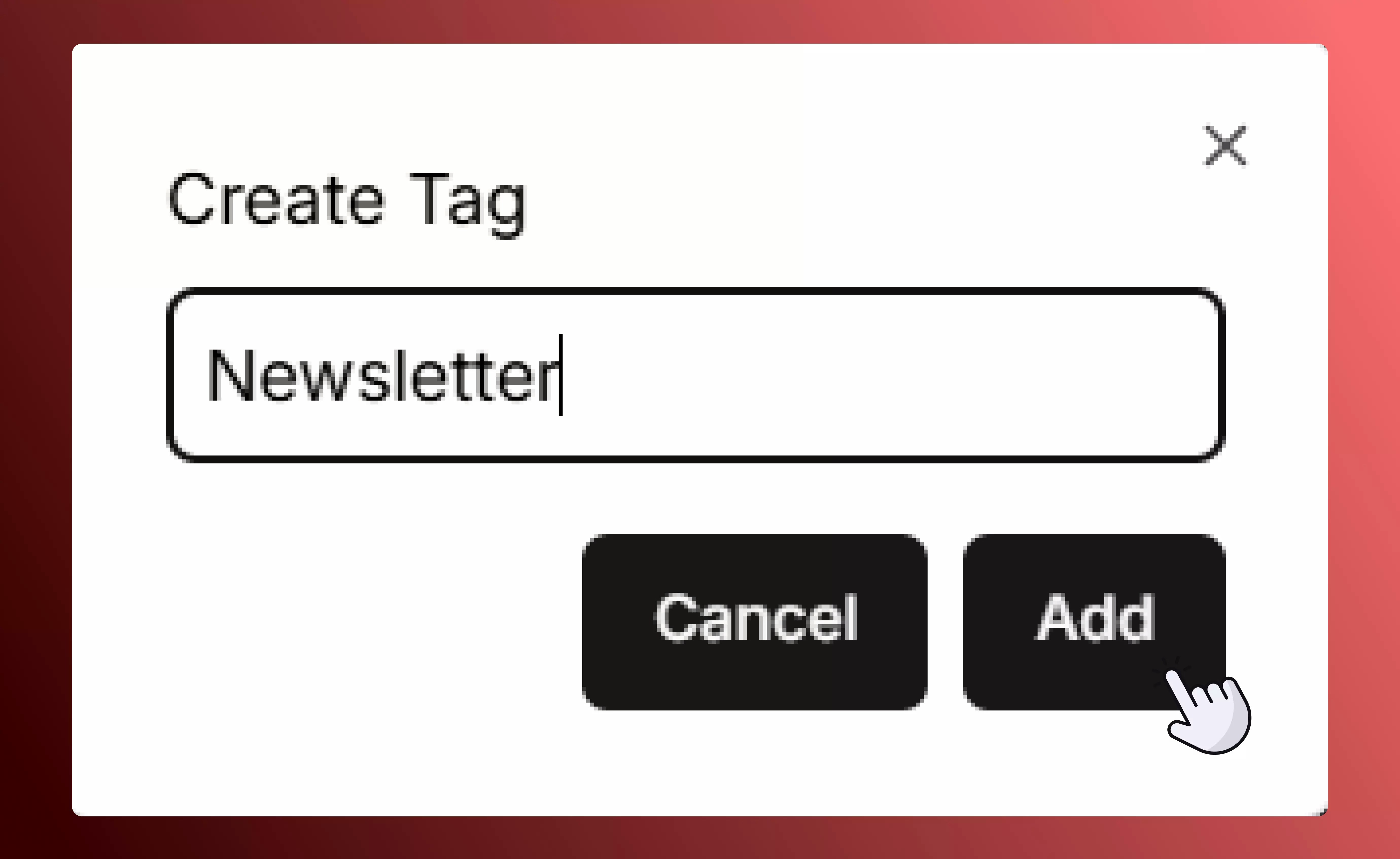
 * **Create new tags** to label contacts by source, interest, stage, or any other criteria you need.
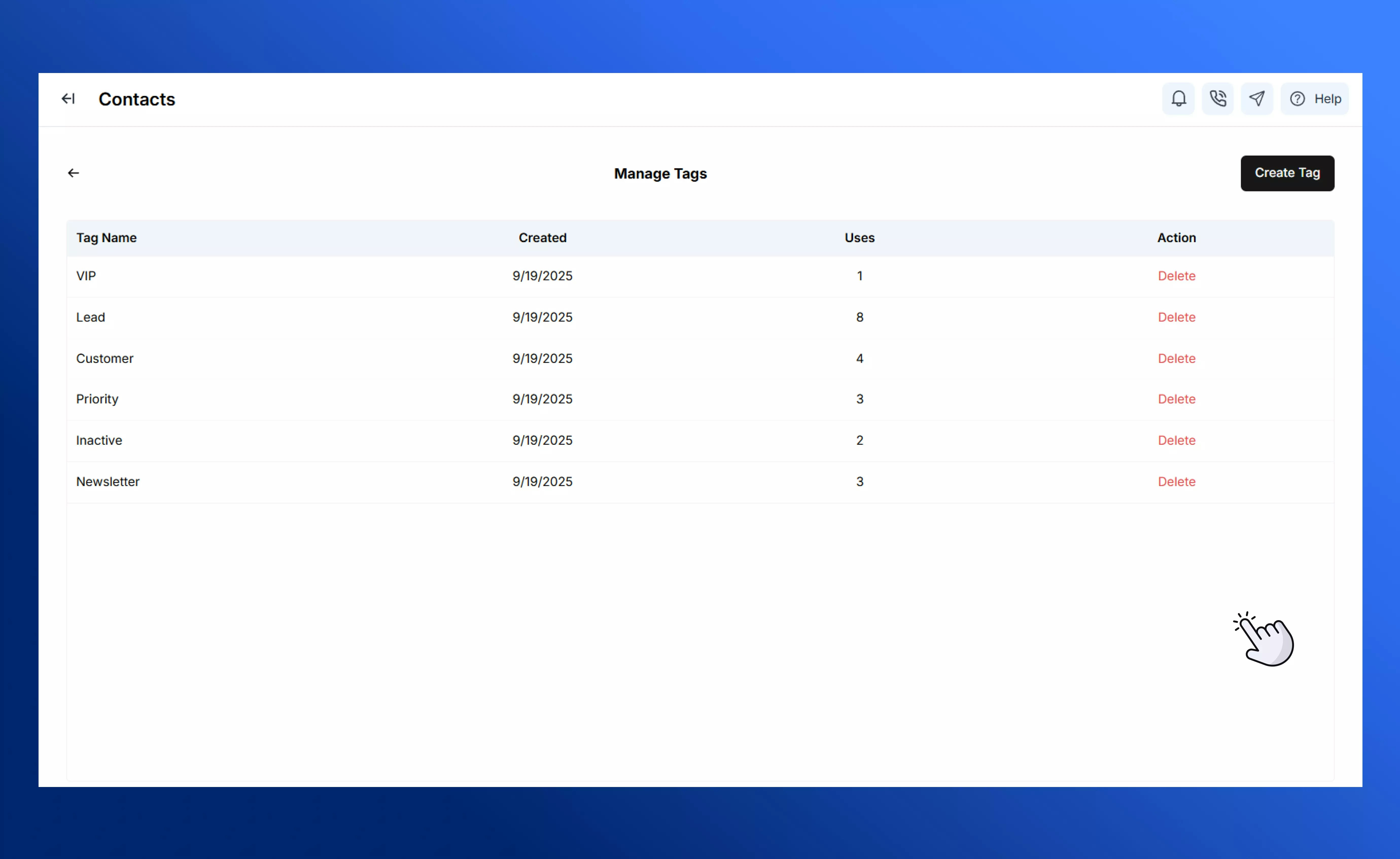
 * **Edit or delete existing tags** to keep your tag library clean and up-to-date.
 * When you create or edit a contact, simply tick the tags you want from your existing list or **create a new tag on the spot** without leaving the screen. Learn more on our page about [adding contacts.](Adding-Contacts)
 This flexibility means you don’t have to decide all your tags up front — you can evolve them as your campaigns and data strategy evolve.
## **How Tags Work**
Tags function differently from custom fields. Instead of storing a single value per contact, they’re designed to be multiple, stackable labels:
* A contact can have **one, two, or dozens of tags** — there’s no limit.
* Tags don’t hold unique values or numbers; they’re simply descriptors (e.g. “Facebook Lead,” “Referral,” “Downloaded Whitepaper,” “VIP Customer”).
* You can quickly see all tags attached to a contact in their profile or on the contacts list, and you can filter your list to show only contacts with one or more specific tags.
This flexibility means you don’t have to decide all your tags up front — you can evolve them as your campaigns and data strategy evolve.
## **How Tags Work**
Tags function differently from custom fields. Instead of storing a single value per contact, they’re designed to be multiple, stackable labels:
* A contact can have **one, two, or dozens of tags** — there’s no limit.
* Tags don’t hold unique values or numbers; they’re simply descriptors (e.g. “Facebook Lead,” “Referral,” “Downloaded Whitepaper,” “VIP Customer”).
* You can quickly see all tags attached to a contact in their profile or on the contacts list, and you can filter your list to show only contacts with one or more specific tags.