> ## Documentation Index
> Fetch the complete documentation index at: https://docs.salescaptain.com/llms.txt
> Use this file to discover all available pages before exploring further.
# Email Templates
> Email Templates let you create, personalize, and automate marketing, design, and feedback emails directly from your dashboard. Whether you’re sending referral invitations, promotional campaigns, or review requests, you can build professional, on-brand messages without any coding or external tools.
## **Navigating to Email Templates**
To create and manage email templates in **SalesCaptain**:
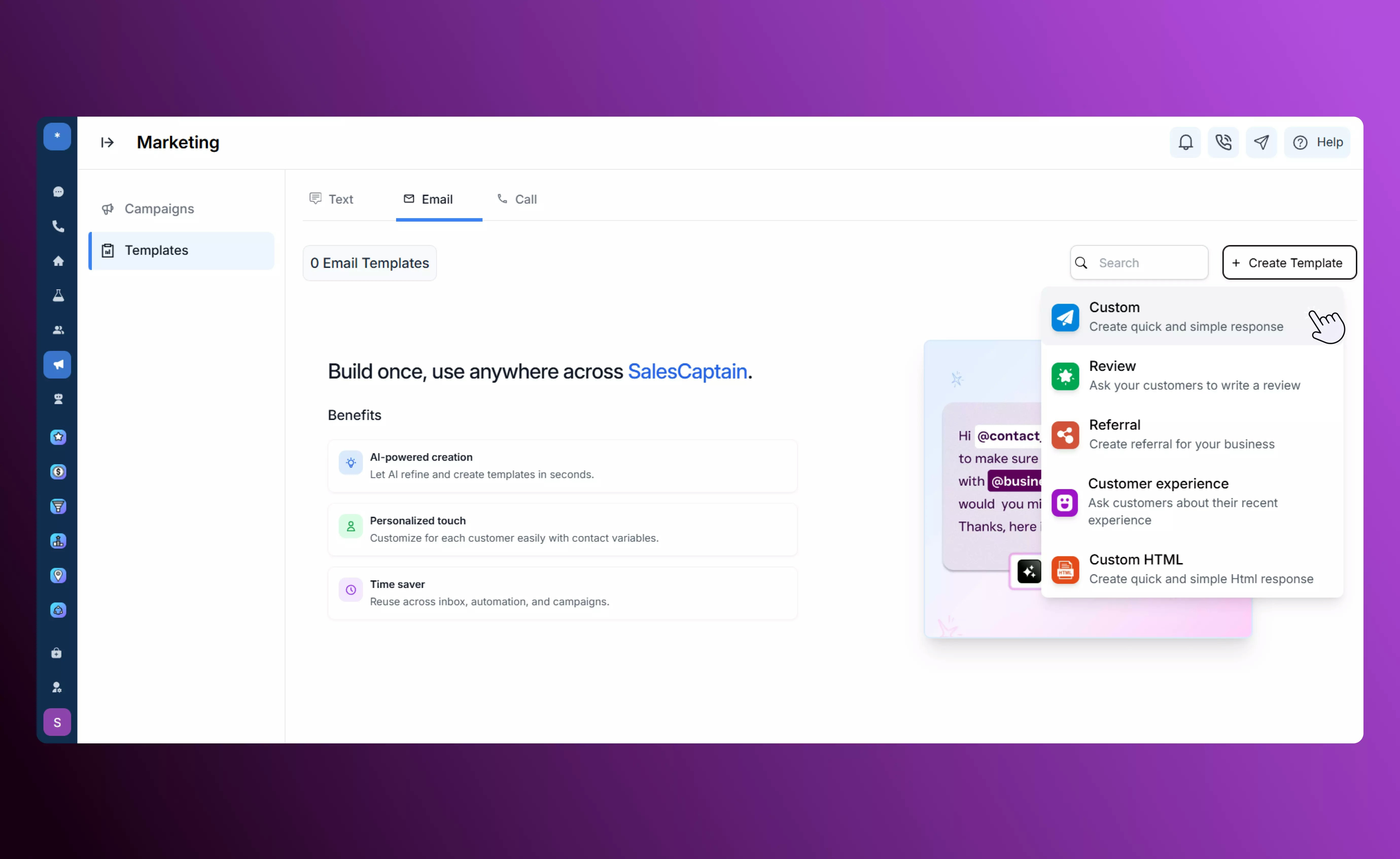
1. From the sidebar, go to **Marketing → Templates**.
2. Click **Create Template**.
3. Choose from one of the five available template types:
* **Custom**
* **Review Request**
* **Referral**
* **Customer Experience**
* **Custom HTML**
 ## Custom Templates
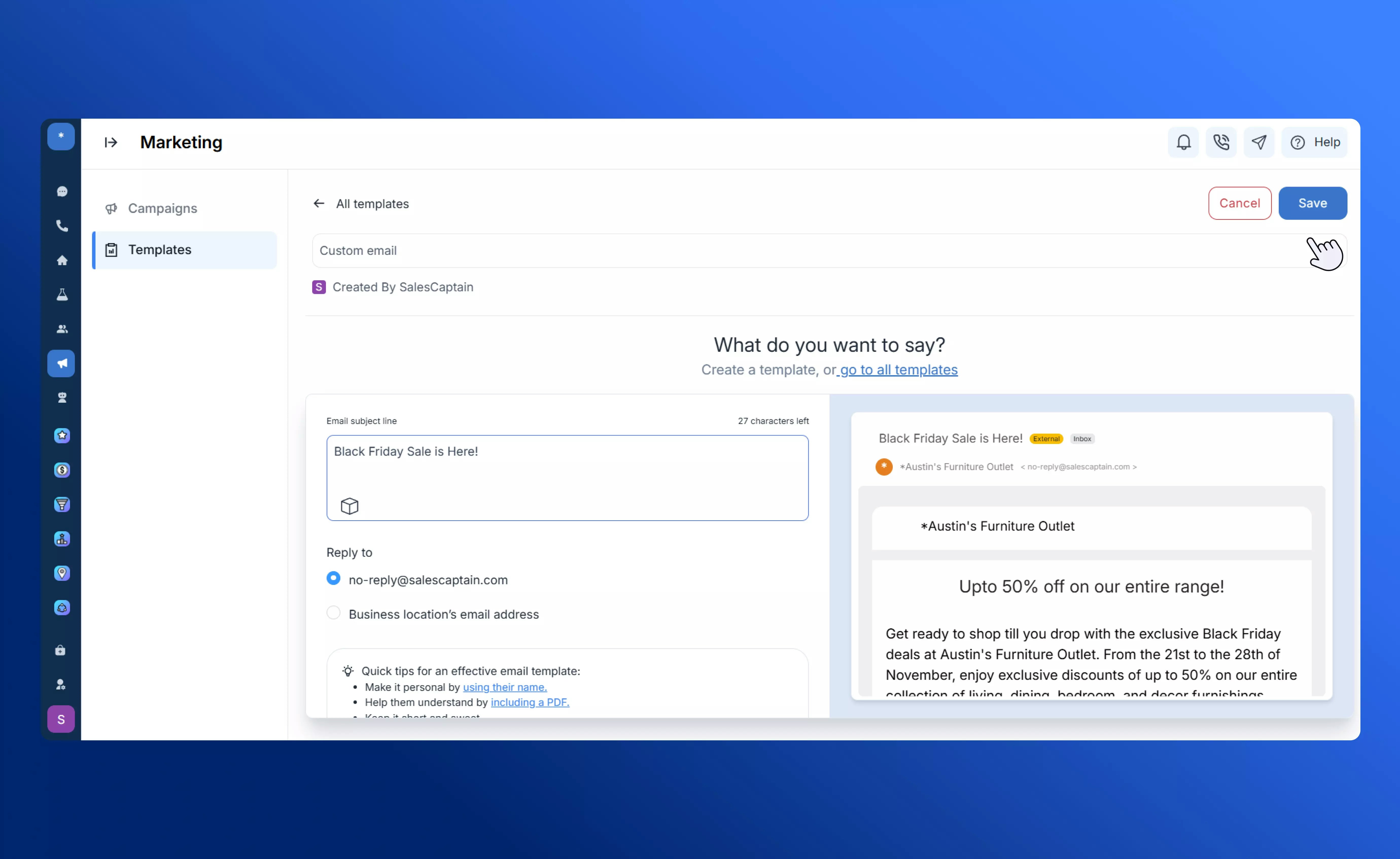
* The **Custom** template lets you create your own personalized email messages for customer service, promotions, or announcements.
* It supports **personalization tokens** (e.g., `@first_name`, `@appointment_date`, or `@service_name`) to make each message feel one-to-one and relevant to the recipient.
* You can also include **custom links**, such as product pages or Google Review URLs, to drive engagement and collect feedback.
* Ideal for quick, direct communication that doesn’t require a structured workflow — perfect for announcements, reminders, and follow-ups.
## Custom Templates
* The **Custom** template lets you create your own personalized email messages for customer service, promotions, or announcements.
* It supports **personalization tokens** (e.g., `@first_name`, `@appointment_date`, or `@service_name`) to make each message feel one-to-one and relevant to the recipient.
* You can also include **custom links**, such as product pages or Google Review URLs, to drive engagement and collect feedback.
* Ideal for quick, direct communication that doesn’t require a structured workflow — perfect for announcements, reminders, and follow-ups.
 ## **Review Request**
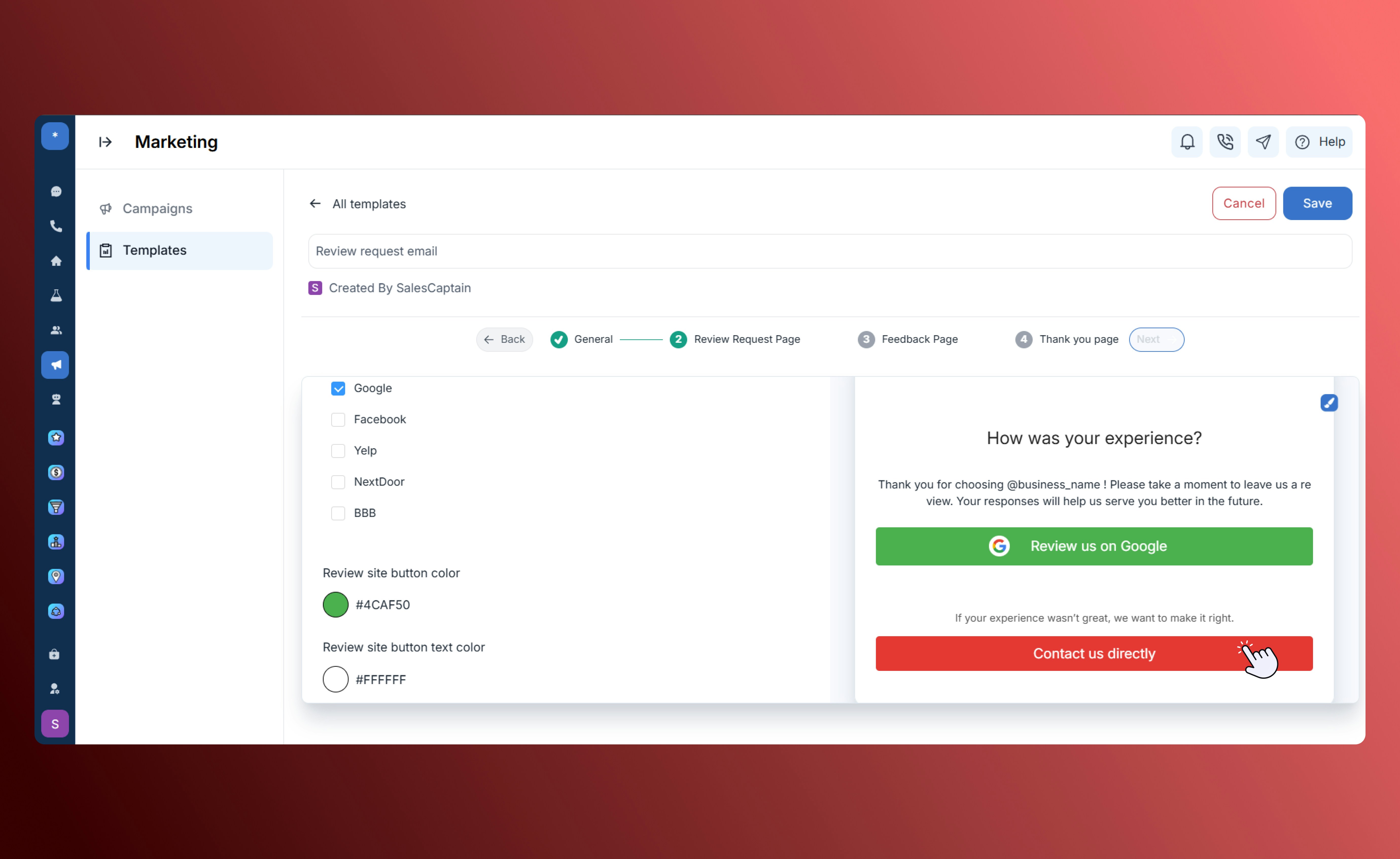
The **Review Request** template helps you gather customer reviews while routing negative feedback internally for resolution. You can fully customize the content — including subject line, body, and email signature — to reflect your brand voice and tone.
Customize the subject line and email signature text to match your brand identity and maintain consistency across communications.
Add your main review invitation message. When customers click through, positive ratings are automatically routed to **Google Reviews**, while negative responses are sent to an **internal feedback form** for private handling.
## **Review Request**
The **Review Request** template helps you gather customer reviews while routing negative feedback internally for resolution. You can fully customize the content — including subject line, body, and email signature — to reflect your brand voice and tone.
Customize the subject line and email signature text to match your brand identity and maintain consistency across communications.
Add your main review invitation message. When customers click through, positive ratings are automatically routed to **Google Reviews**, while negative responses are sent to an **internal feedback form** for private handling.
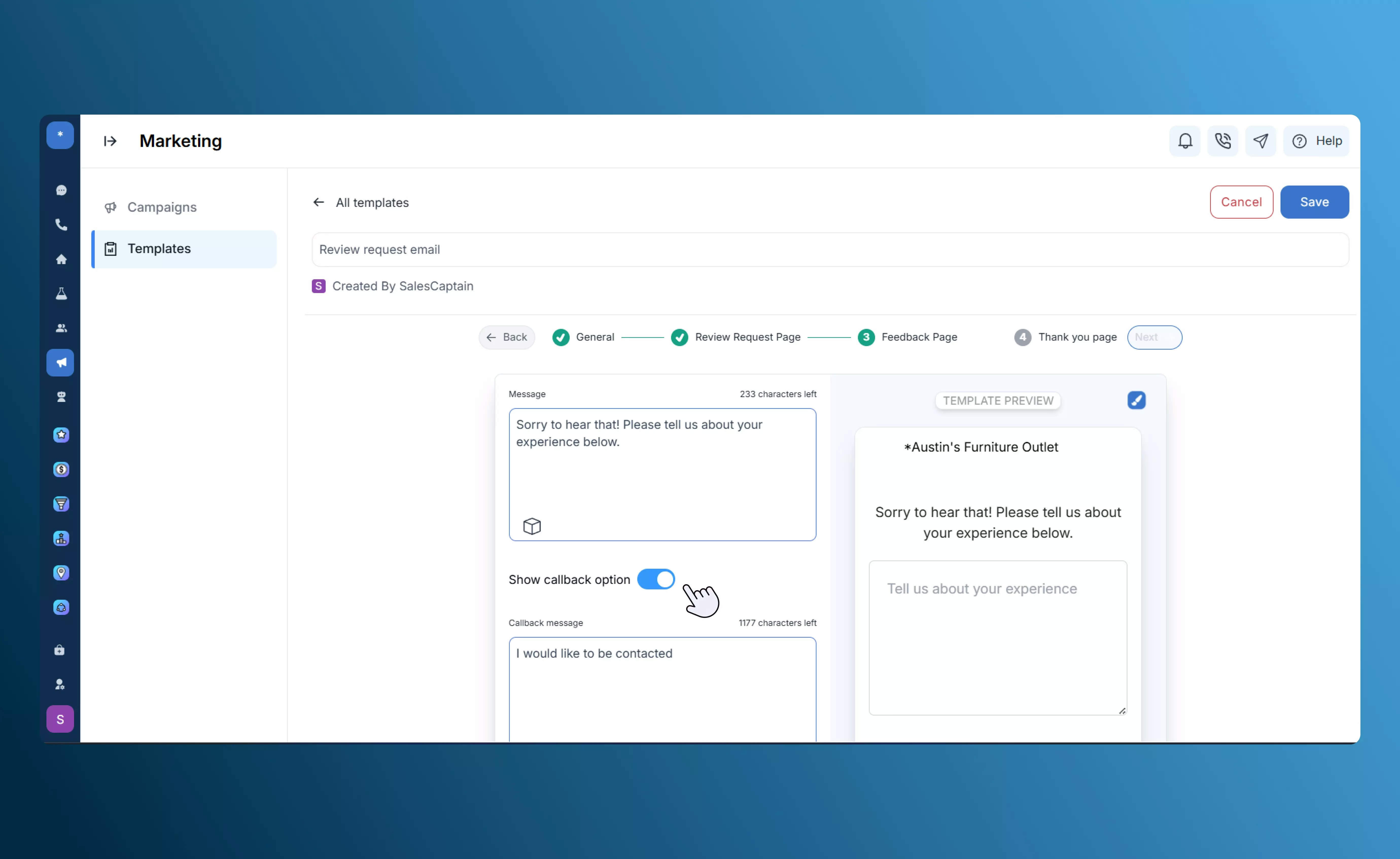
 Edit and customize the form fields to collect details most relevant to your business, such as order ID, issue type, or comments.
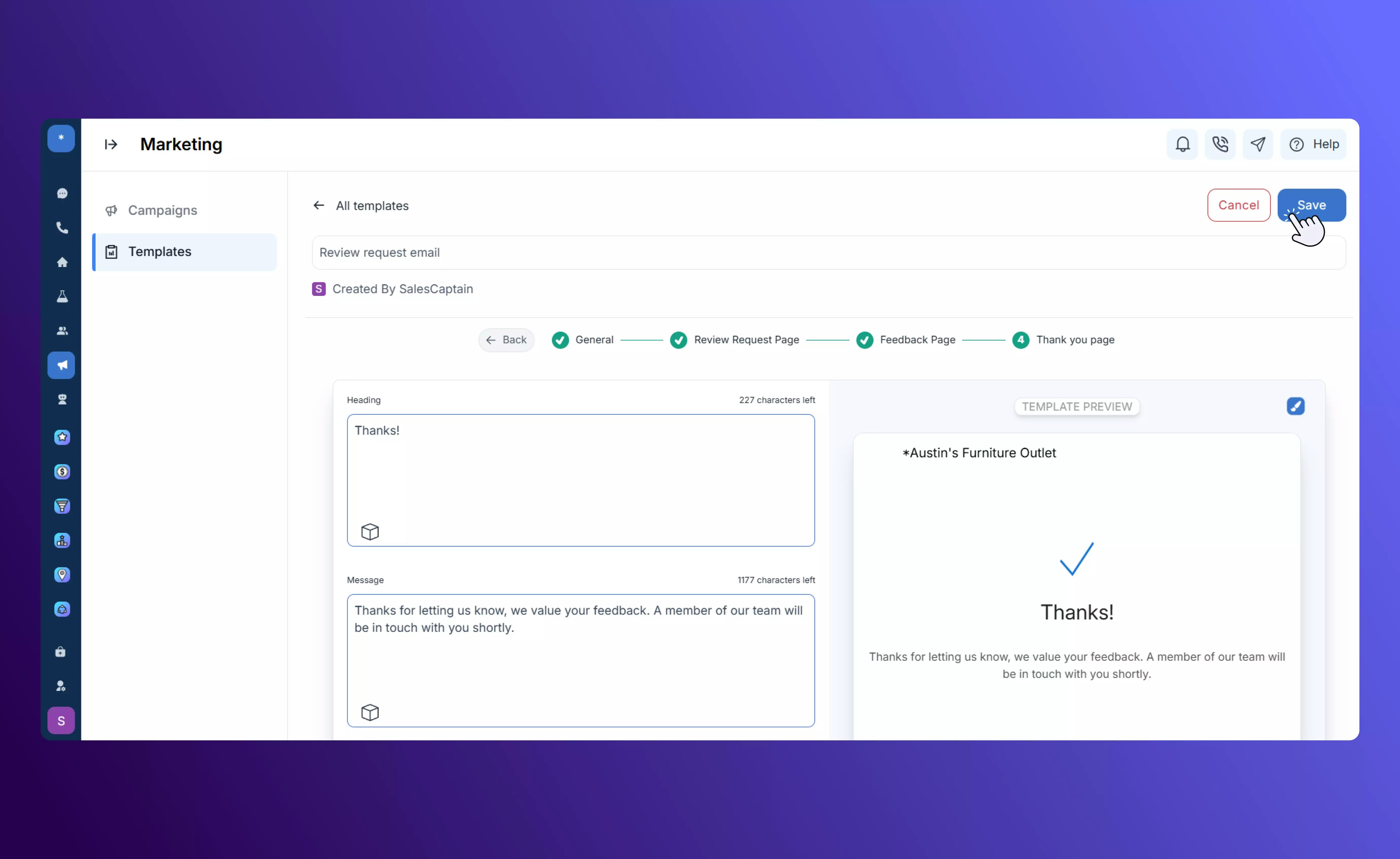
 Display a confirmation message once the customer submits their feedback, ensuring a smooth and positive end to the interaction.
 ## **Referral**
The **Referral** template is designed to encourage word-of-mouth marketing by generating shareable referral links that customers can easily send to their contacts or friends.
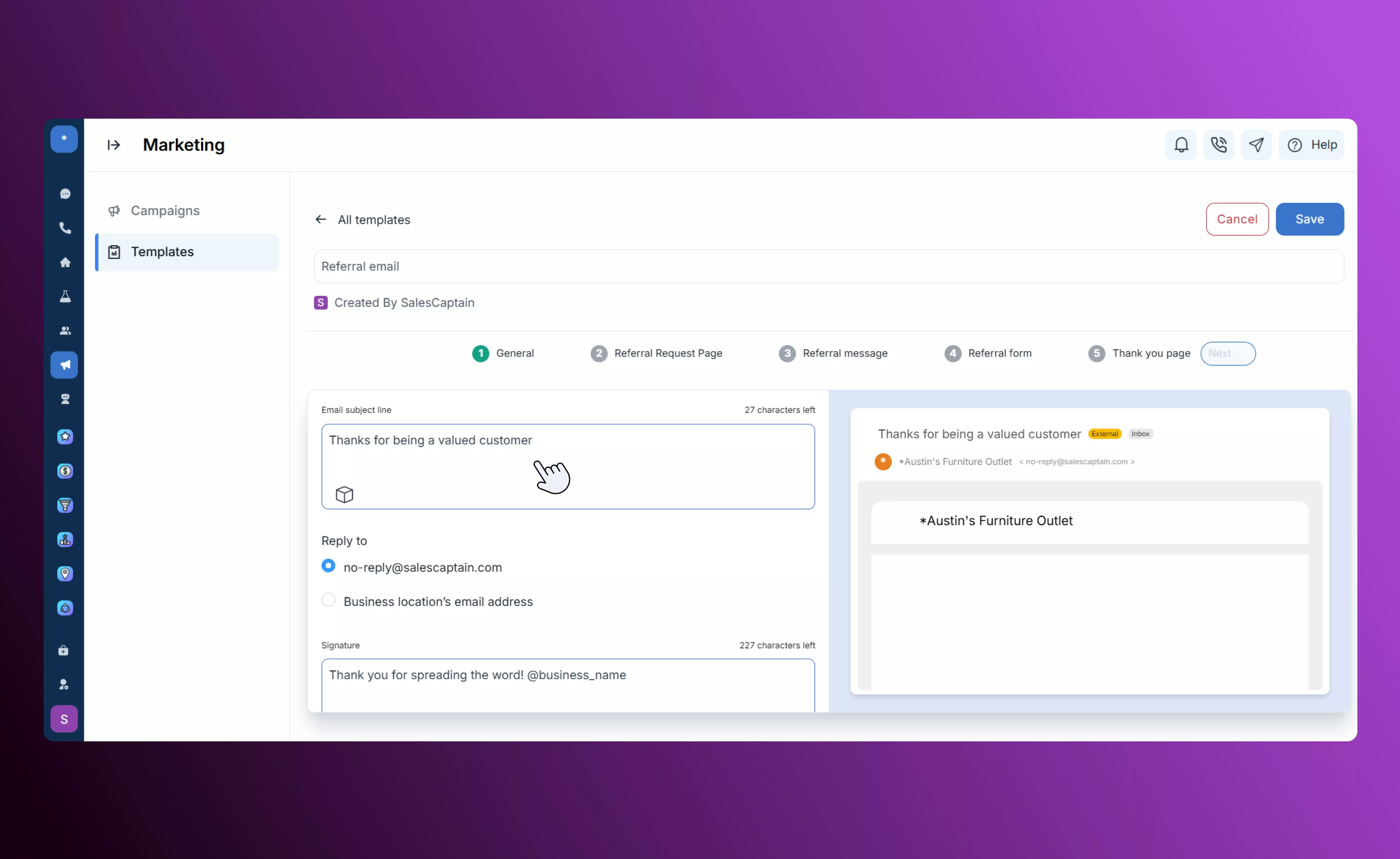
Customize the subject line and email signature for your referral request to align with your brand tone.
## **Referral**
The **Referral** template is designed to encourage word-of-mouth marketing by generating shareable referral links that customers can easily send to their contacts or friends.
Customize the subject line and email signature for your referral request to align with your brand tone.
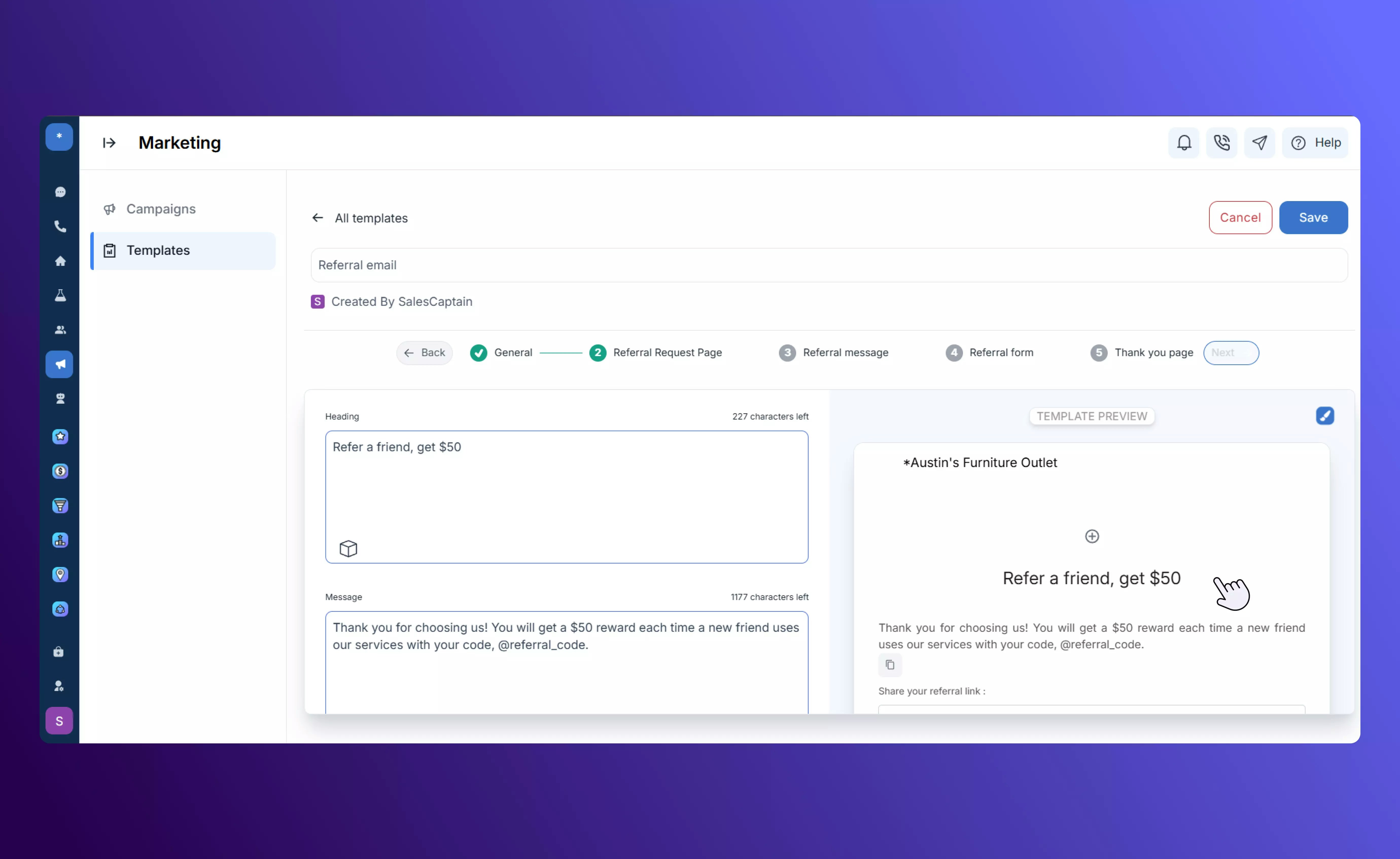
 Creates a unique **shareable referral link** with options to share via **email** or **SMS**, making it easy for customers to refer others.
 Lets customers enter their friend’s name and contact number when sending an SMS referral.
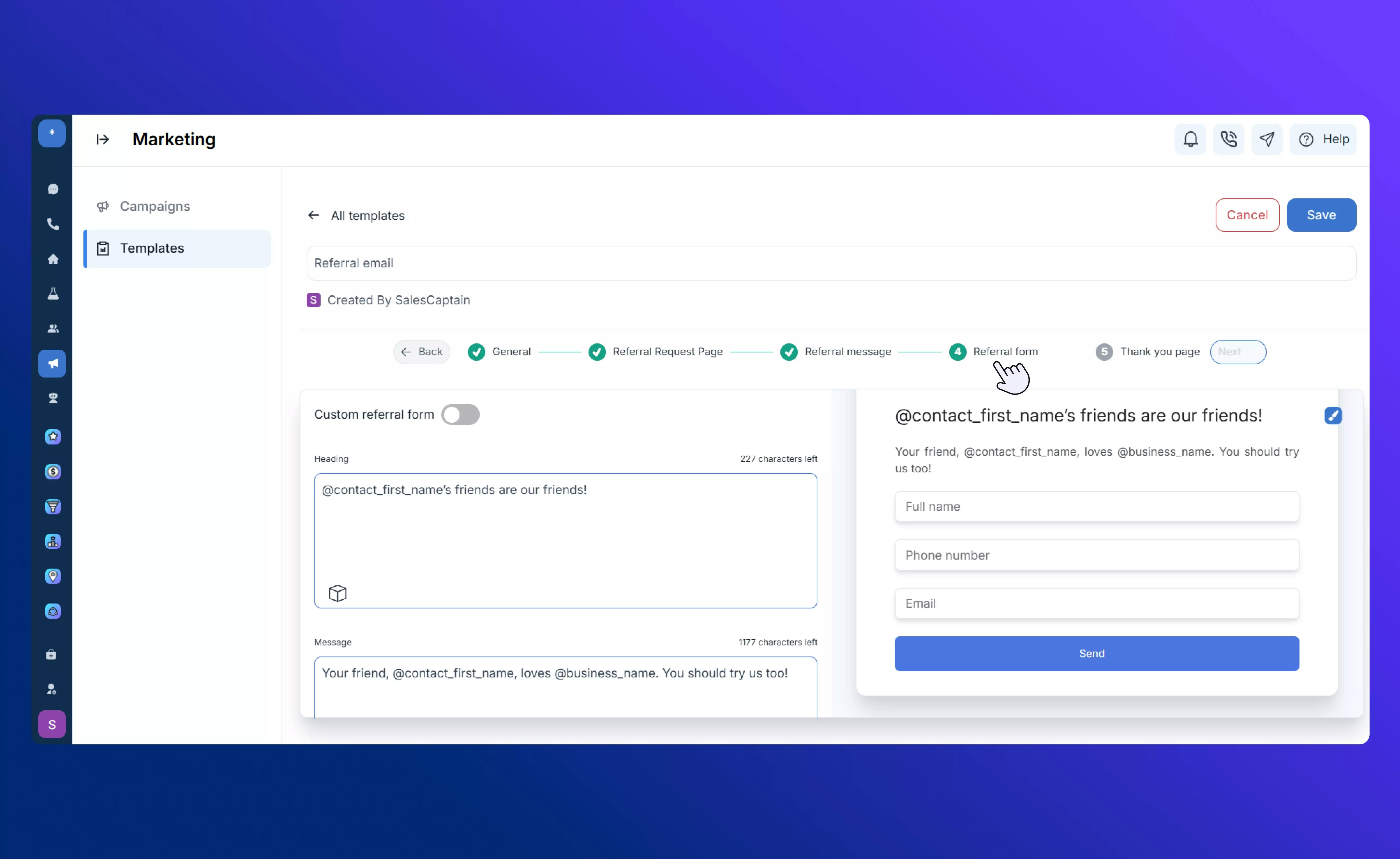
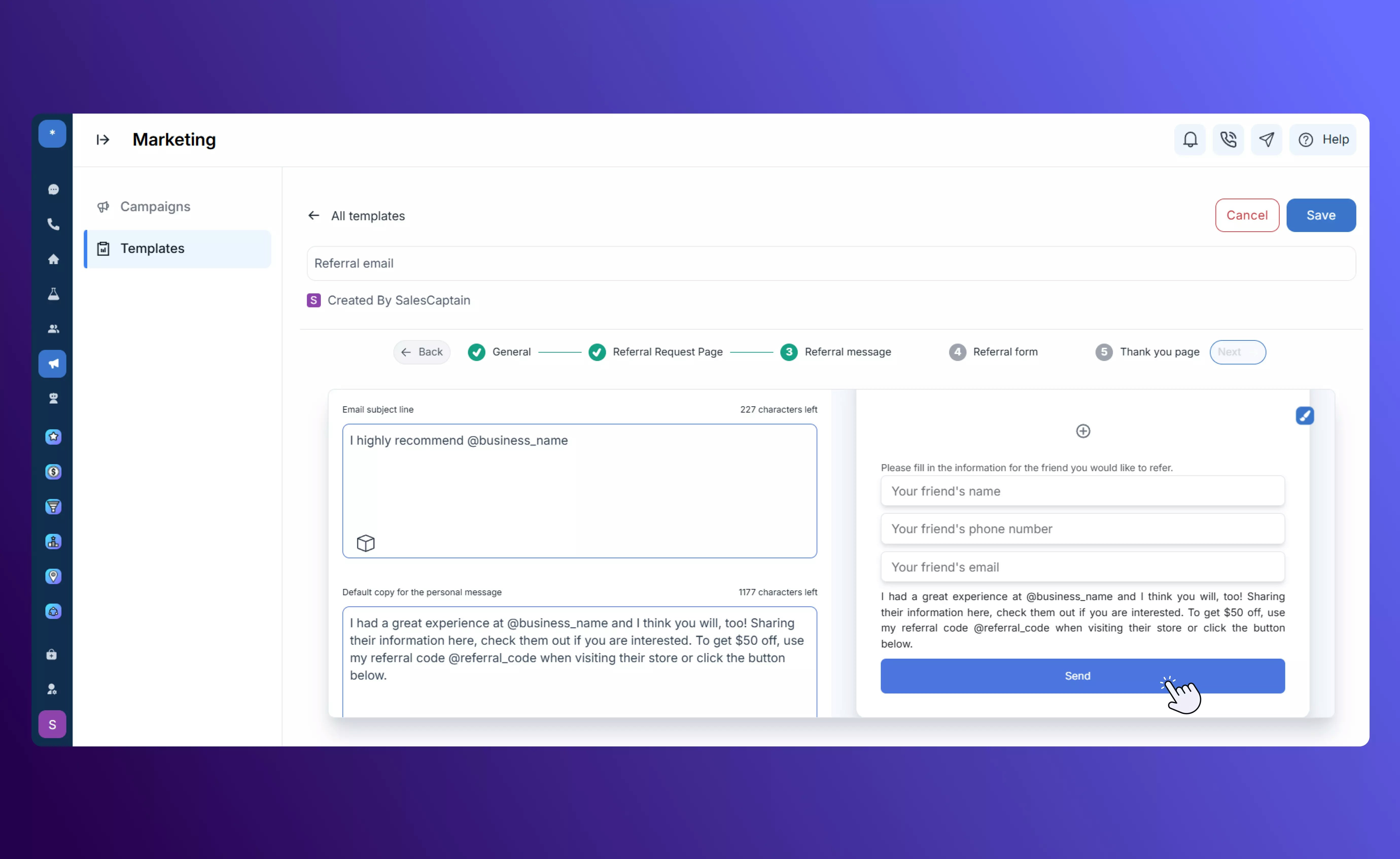 This is the form seen by the referred person, prompting them to share their details so your team can follow up.
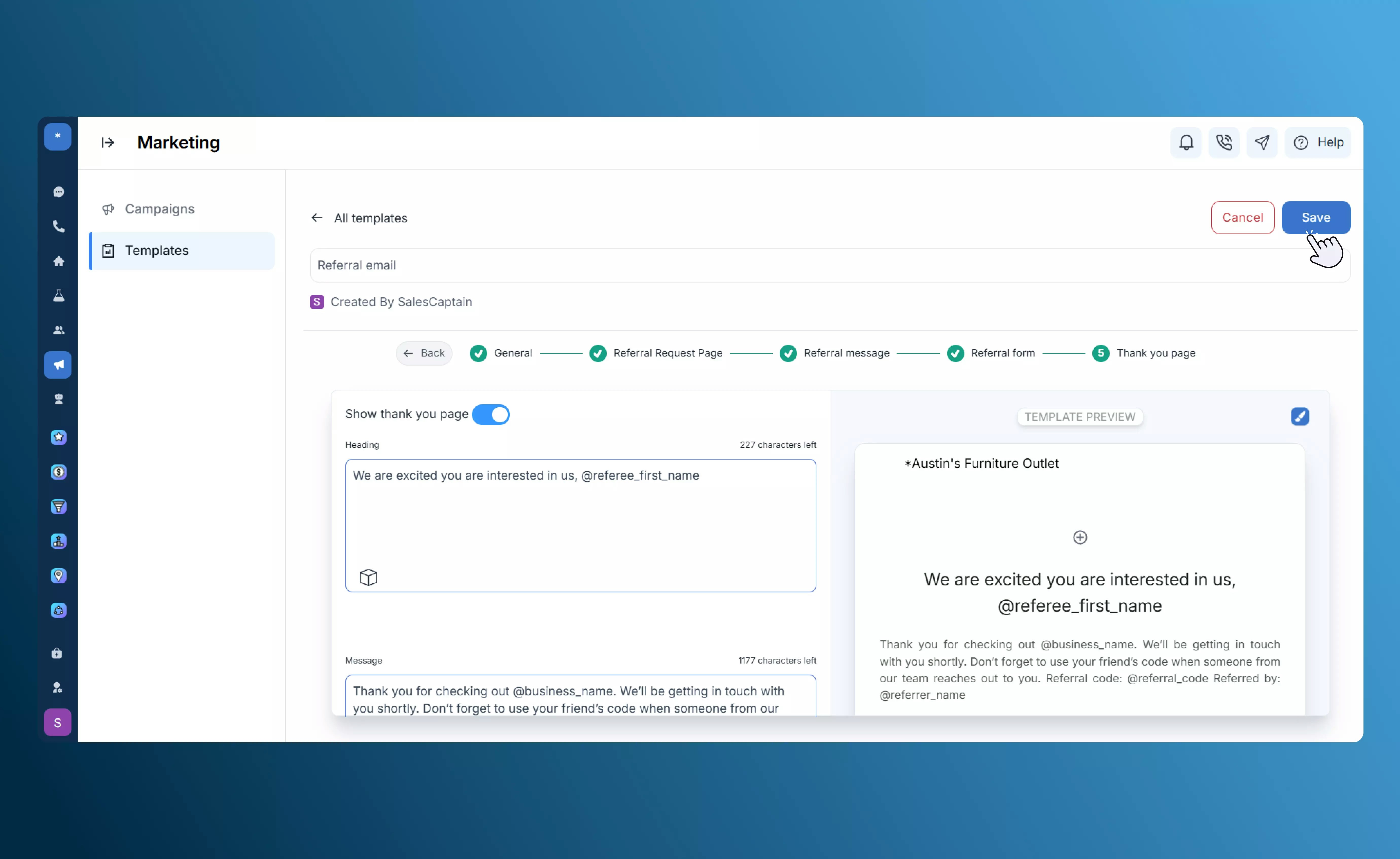
 Displays a customizable completion message once the referral is submitted, confirming the process for the participant.
 **Tracking Tabs:**
* **Sent** — People you invited.
* **Shared** — Customers who shared their referral link.
* **Received** — New leads generated from referrals.
Once you have saved your referral request templates, naviagate to the [Referrals](/Marketplace-and-Integrations/Applications/Referrals) app, whcih appears in the sidebar once you install the app from the Marketplace. Here, you can track, review, and manage your referral requests.
## **Customer Experience**
The **Customer Experience** template helps you collect customer satisfaction data and guide respondents to the right next step based on their feedback.
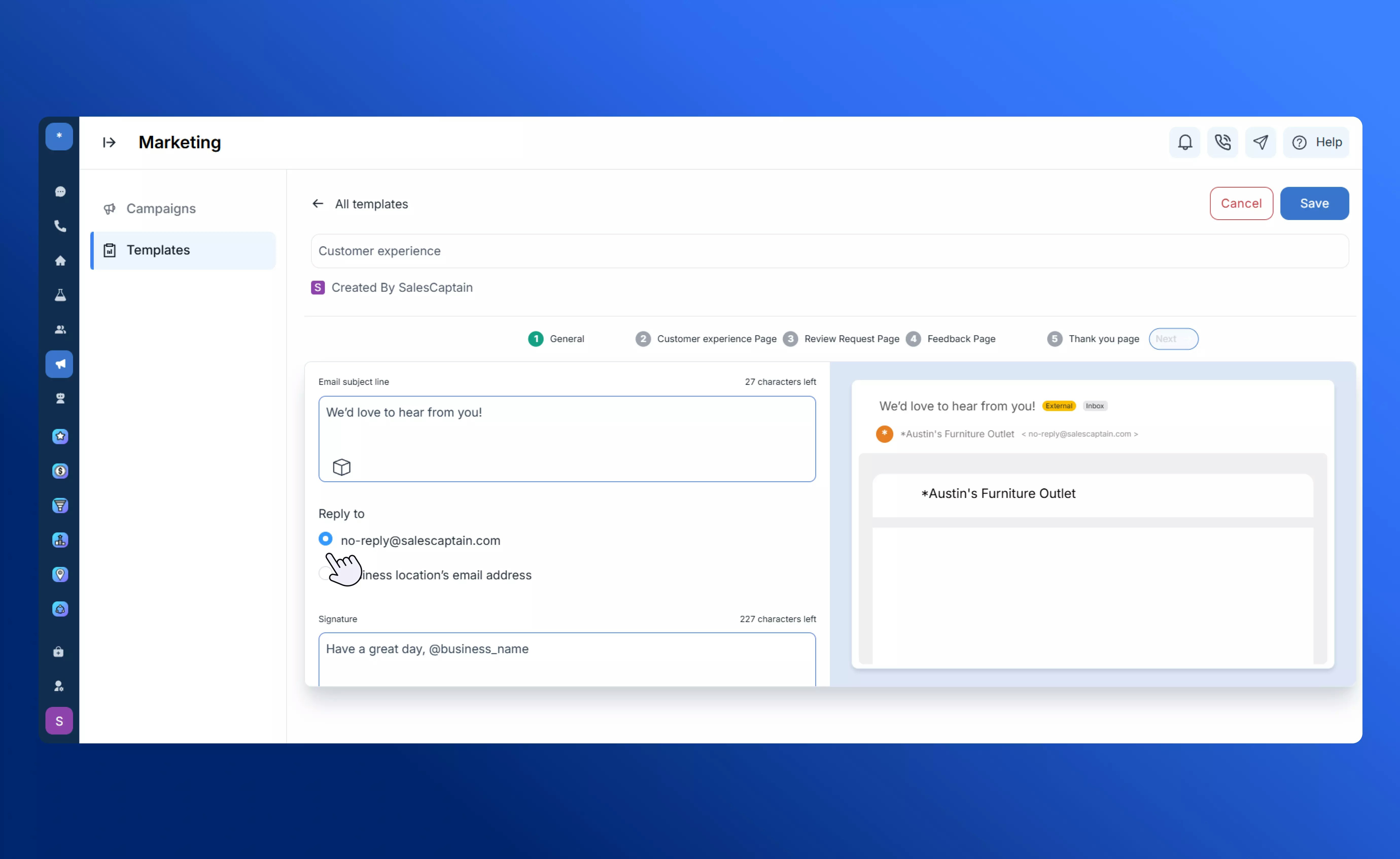
Customize the subject line and email signature text for your feedback request email.
**Tracking Tabs:**
* **Sent** — People you invited.
* **Shared** — Customers who shared their referral link.
* **Received** — New leads generated from referrals.
Once you have saved your referral request templates, naviagate to the [Referrals](/Marketplace-and-Integrations/Applications/Referrals) app, whcih appears in the sidebar once you install the app from the Marketplace. Here, you can track, review, and manage your referral requests.
## **Customer Experience**
The **Customer Experience** template helps you collect customer satisfaction data and guide respondents to the right next step based on their feedback.
Customize the subject line and email signature text for your feedback request email.
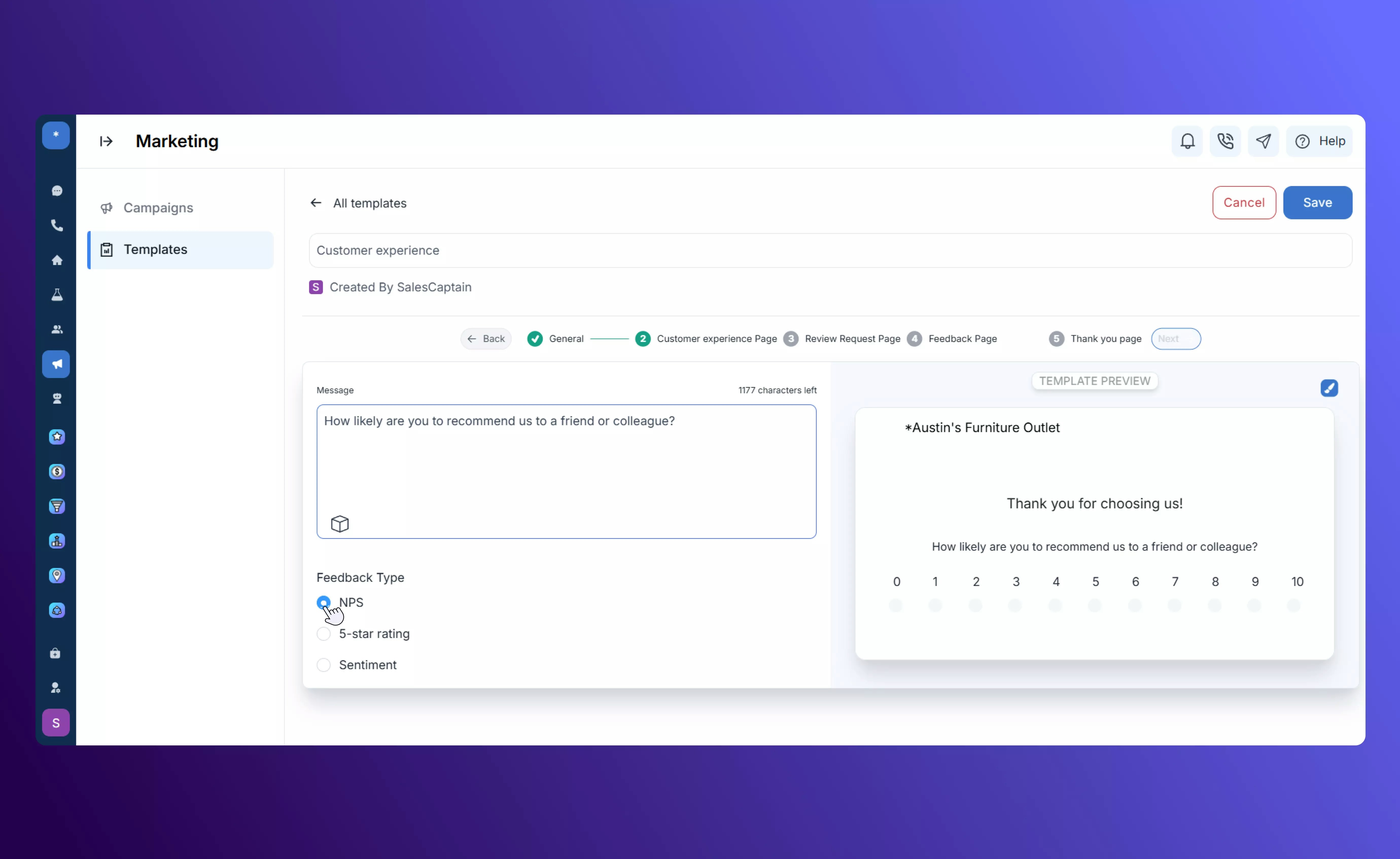
 Create a rating page that can be customized with **NPS scores**, **star ratings**, or **emoji-based feedback formats**.
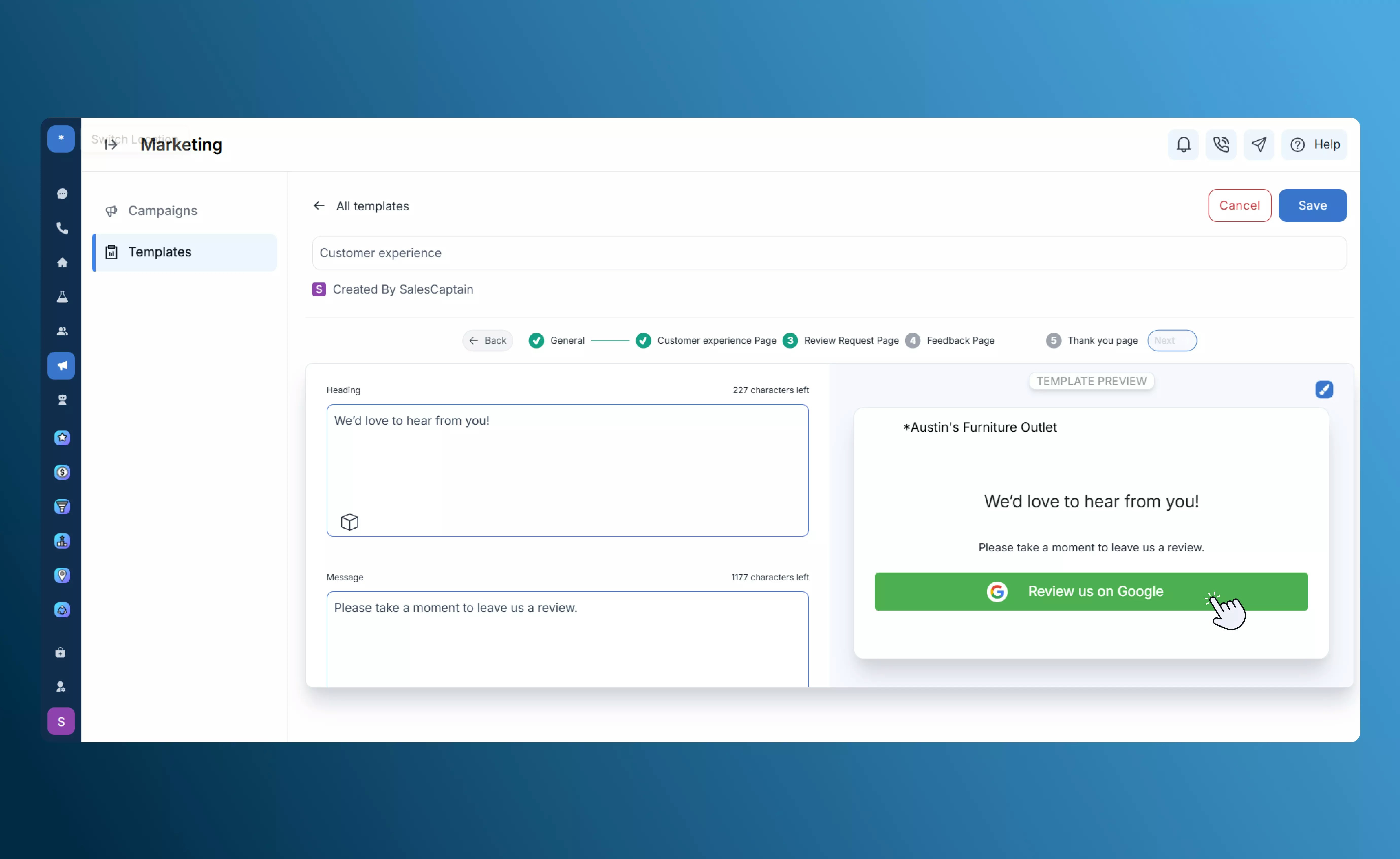
 Directs satisfied customers to leave a **Review**, helping build your online reputation.
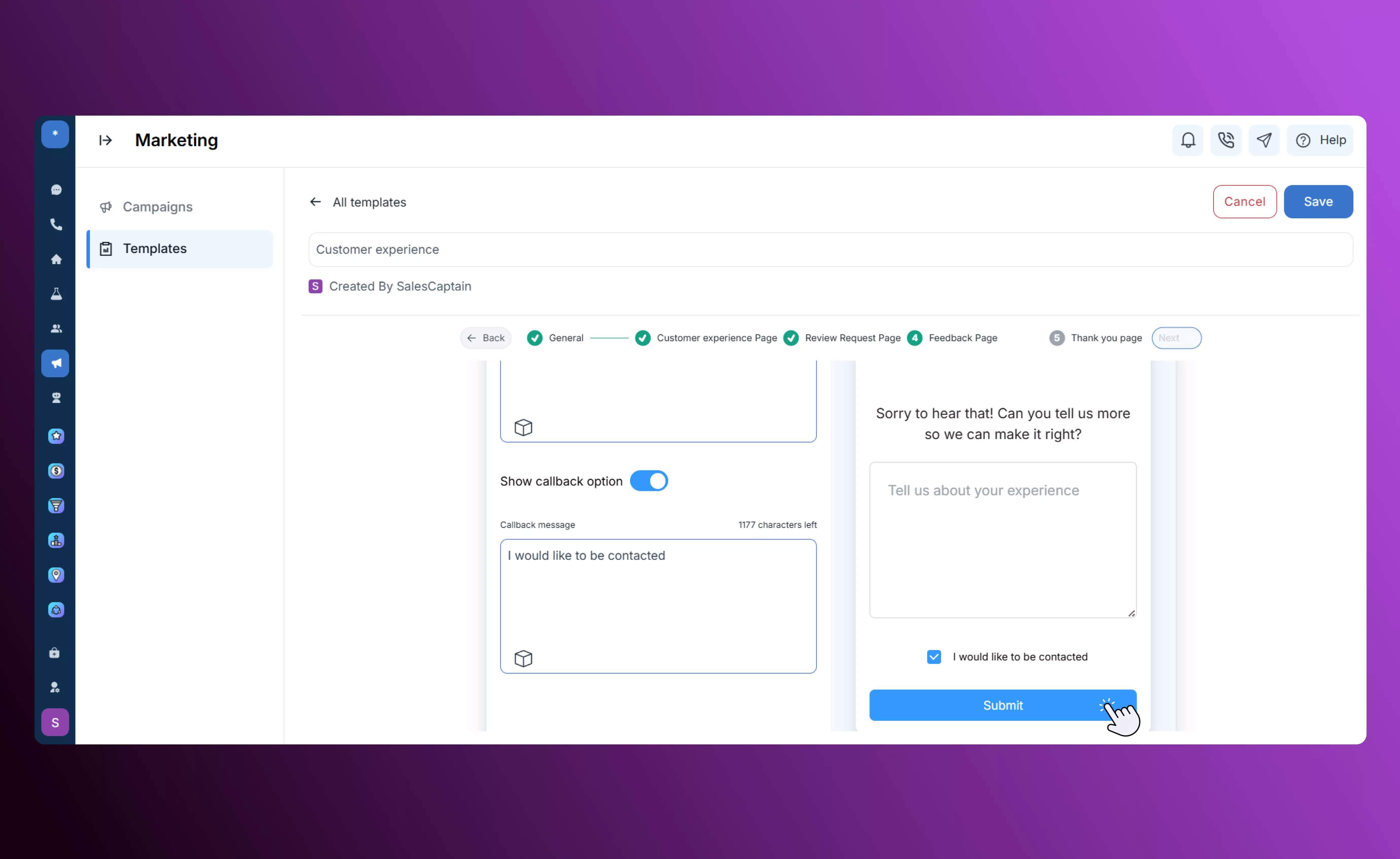
 Routes less positive responses privately to a feedback form where customers can share additional details.
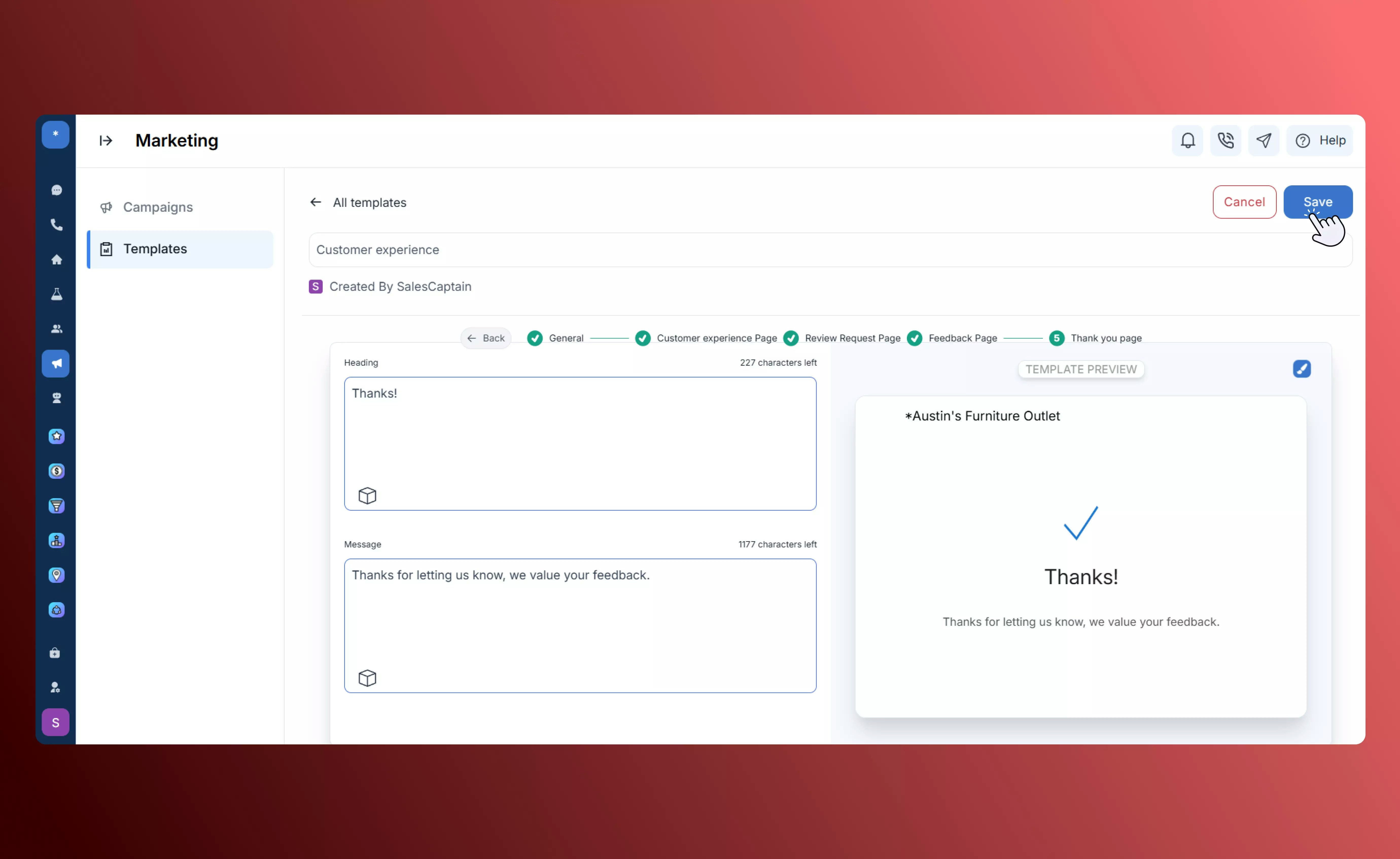
 Displays a final confirmation message after feedback submission, ending the interaction on a positive note.
 ## **Custom HTML**
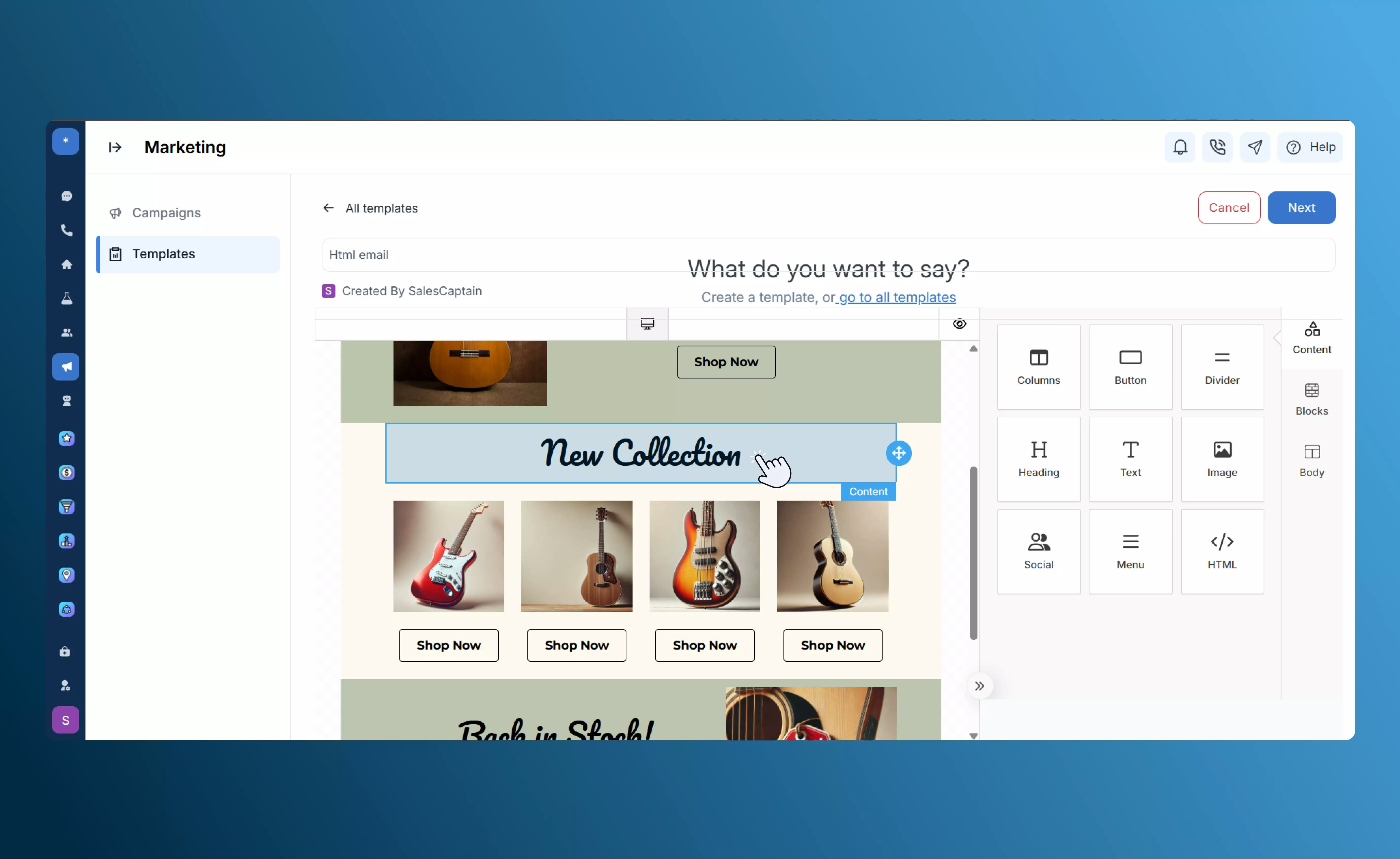
The **Custom HTML** template allows you to design fully branded marketing emails using either a drag-and-drop visual editor or direct code editing for complete creative control.
**Features:**
* **Visual Editor:** Modify layout, fonts, background colors, and button styles to match your brand identity.
* **Upload Assets:** Add logos, images, and banners for a consistent branded appearance.
* **HTML Editing:** Switch seamlessly to code view for advanced customization and full design flexibility.
* **Preview Option:** Review your email before saving or sending to ensure accuracy and visual consistency.
## **Custom HTML**
The **Custom HTML** template allows you to design fully branded marketing emails using either a drag-and-drop visual editor or direct code editing for complete creative control.
**Features:**
* **Visual Editor:** Modify layout, fonts, background colors, and button styles to match your brand identity.
* **Upload Assets:** Add logos, images, and banners for a consistent branded appearance.
* **HTML Editing:** Switch seamlessly to code view for advanced customization and full design flexibility.
* **Preview Option:** Review your email before saving or sending to ensure accuracy and visual consistency.
 ## **Tips & Best Practices**
* Use tokens to personalize each message.
* Keep subject lines clear and short.
* Maintain consistent branding and tone across all templates.
* Always send a test email before publishing.
* Monitor email open and click rates to gauge performance.
## **Tips & Best Practices**
* Use tokens to personalize each message.
* Keep subject lines clear and short.
* Maintain consistent branding and tone across all templates.
* Always send a test email before publishing.
* Monitor email open and click rates to gauge performance.