> ## Documentation Index
> Fetch the complete documentation index at: https://docs.salescaptain.com/llms.txt
> Use this file to discover all available pages before exploring further.
# SMS Templates
> SMS templates in SalesCaptain allow you to create and send personalized text messages to your customers. They help streamline communication for referrals, feedback, and reviews while maintaining a personal touch. Templates keep your messaging organized, consistent across teams, and save valuable time.
## **Navigating to SMS Templates**
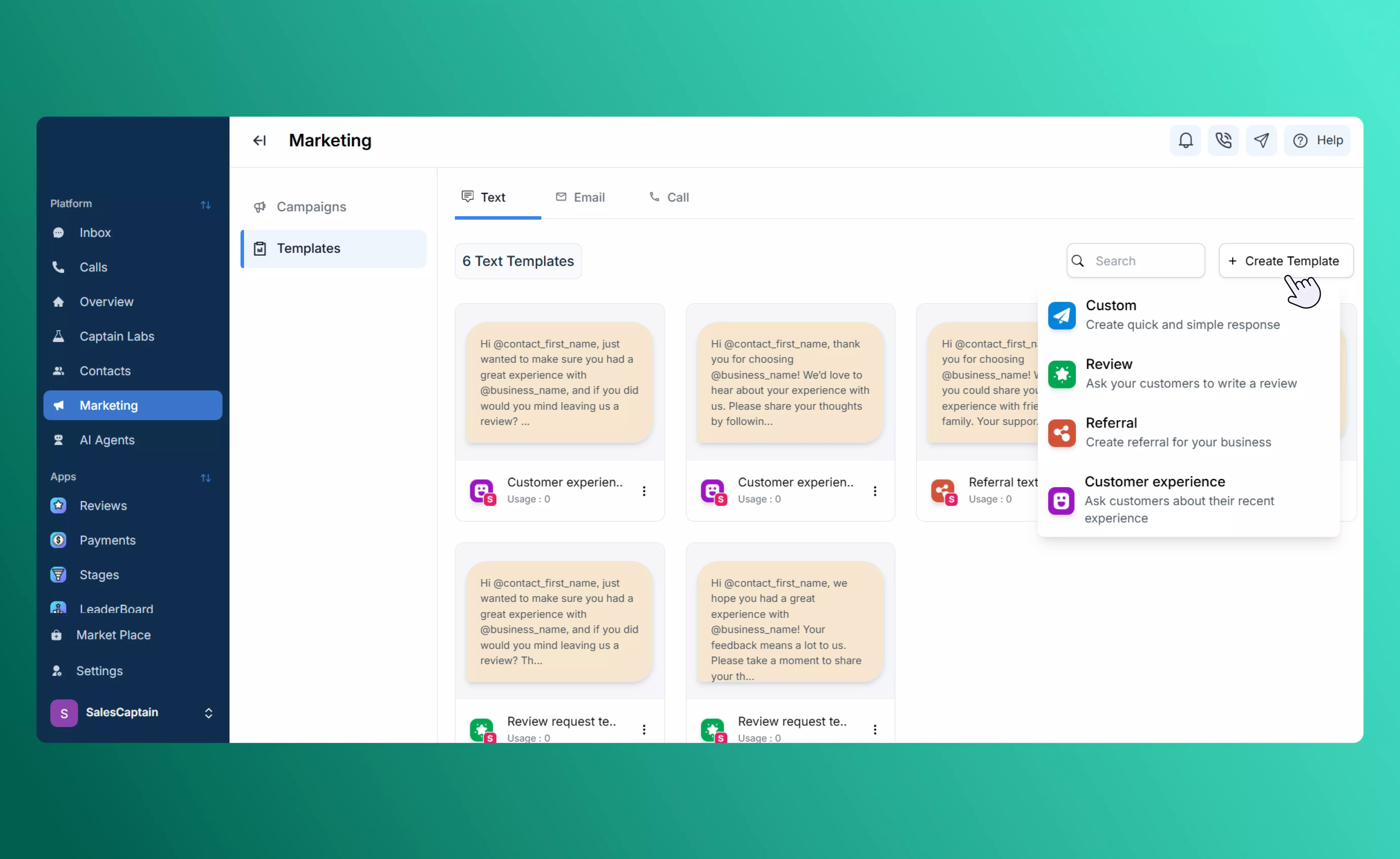
1. From the sidebar, go to **Marketing → Templates**.
2. Click **Create Template**.
3. Choose from four template types: **Custom**, **Review Request**, **Referral**, or **Customer Experience**.
 ## **Custom**
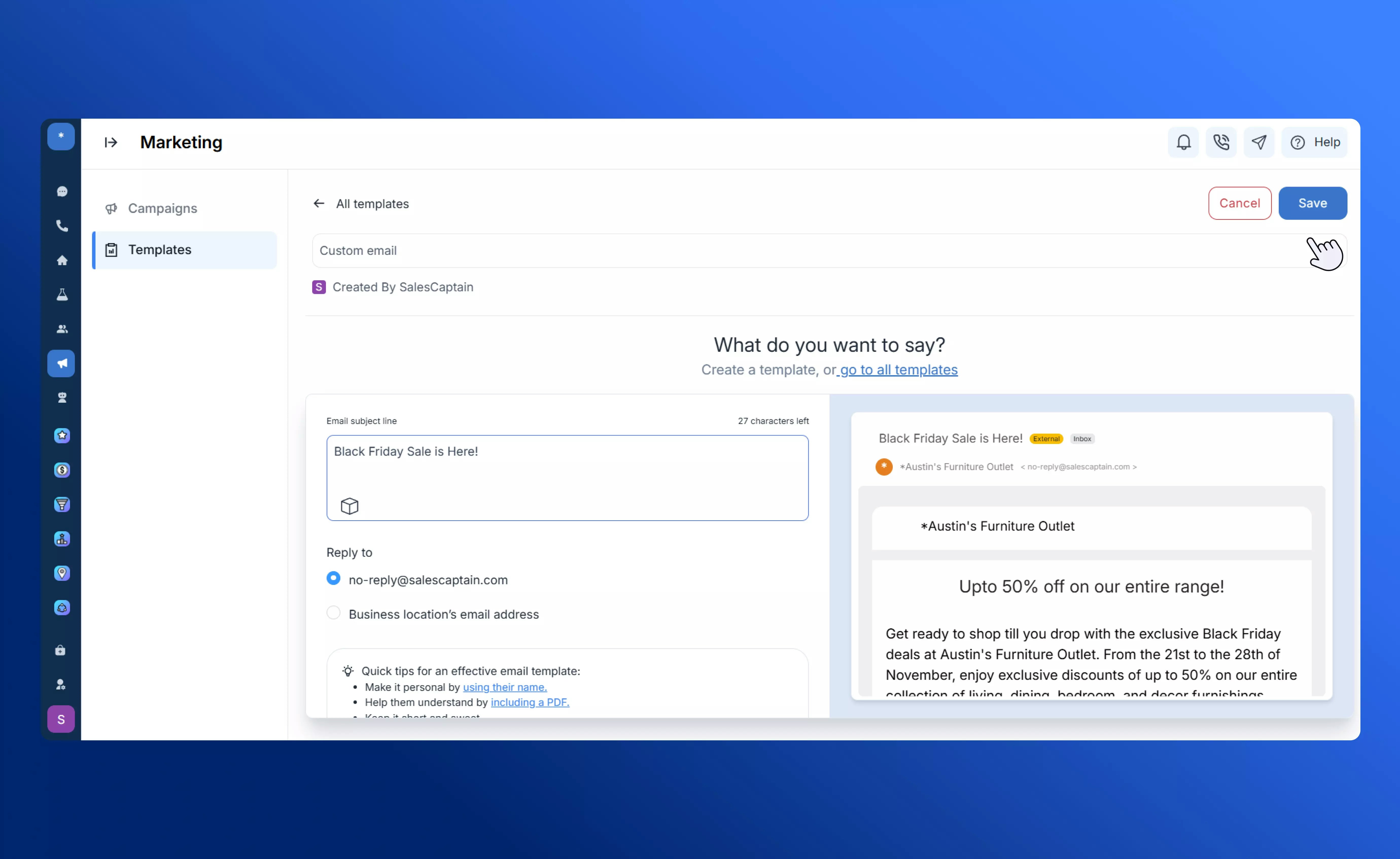
The **Custom** template lets you create your own personalized messages for customer service, promotions, or announcements.
* Supports **personalization tokens** (e.g., customer name, date, or other details) to add a personal touch.
* You can include **links** such as Google Review URLs to collect feedback or boost engagement.
* Ideal for quick, direct communication that doesn’t require a structured workflow.
## **Custom**
The **Custom** template lets you create your own personalized messages for customer service, promotions, or announcements.
* Supports **personalization tokens** (e.g., customer name, date, or other details) to add a personal touch.
* You can include **links** such as Google Review URLs to collect feedback or boost engagement.
* Ideal for quick, direct communication that doesn’t require a structured workflow.
 ## **Review Request**
The **Review Request** template makes it easy to collect customer reviews while keeping negative feedback private.
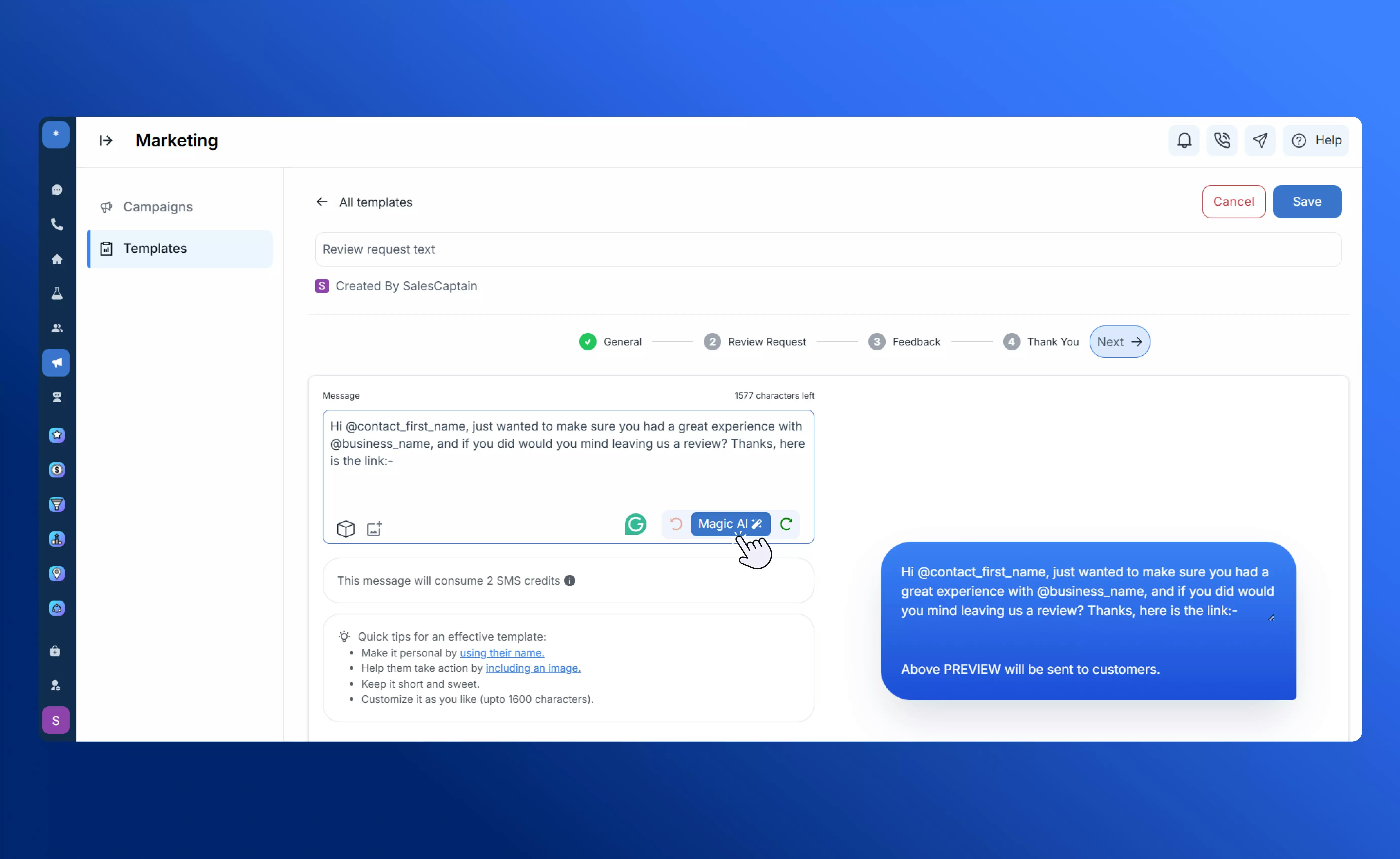
Write your SMS message inviting customers to share their experience. This message includes an automatically generated review link.
## **Review Request**
The **Review Request** template makes it easy to collect customer reviews while keeping negative feedback private.
Write your SMS message inviting customers to share their experience. This message includes an automatically generated review link.
 When customers click the link, they’re taken to a branded landing page where they rate their experience.
* **Positive ratings** (4–5 stars) are automatically directed to your Google Business Review page.
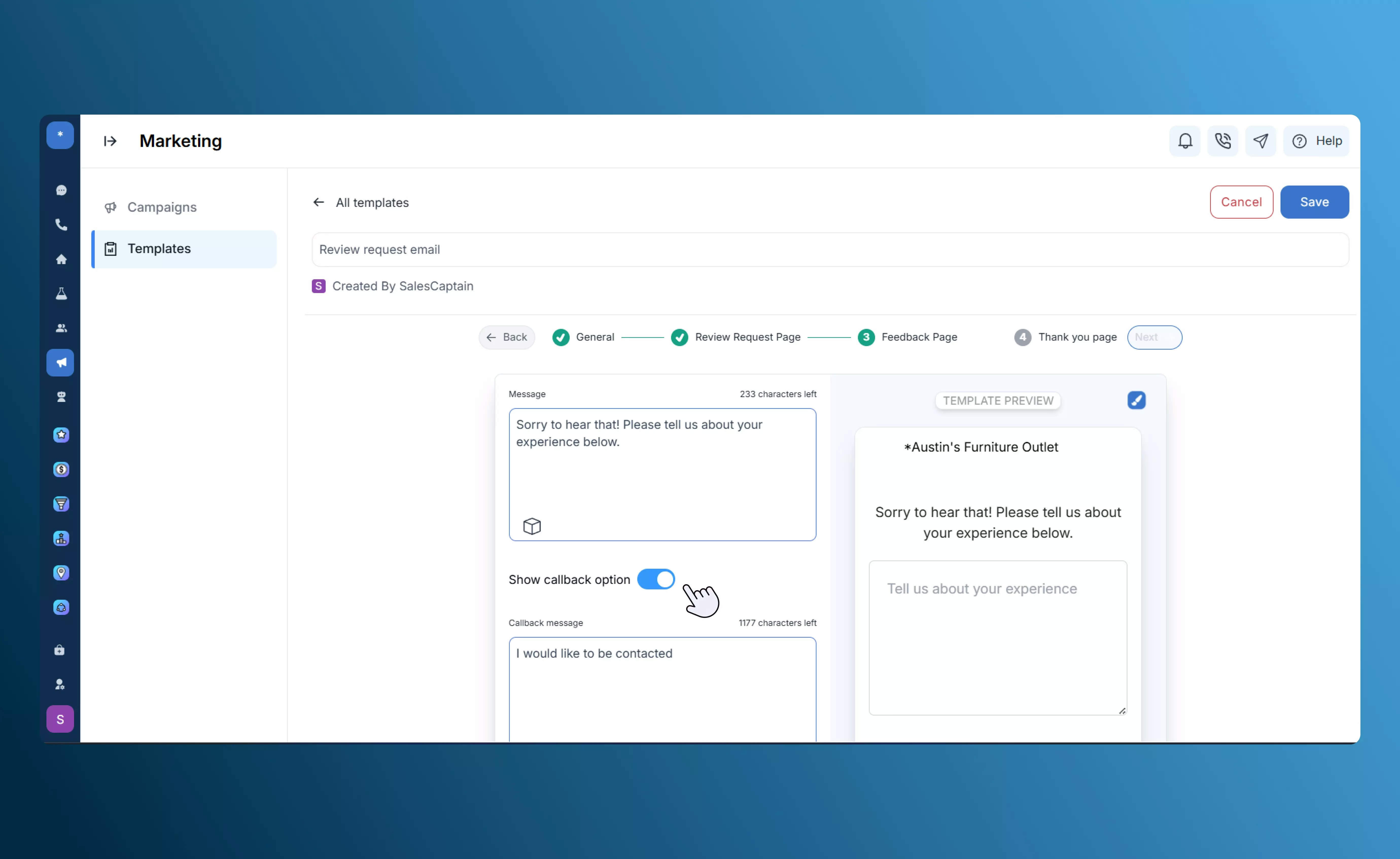
* **Negative ratings** (1–3 stars) are routed to a private feedback form instead.
When customers click the link, they’re taken to a branded landing page where they rate their experience.
* **Positive ratings** (4–5 stars) are automatically directed to your Google Business Review page.
* **Negative ratings** (1–3 stars) are routed to a private feedback form instead.
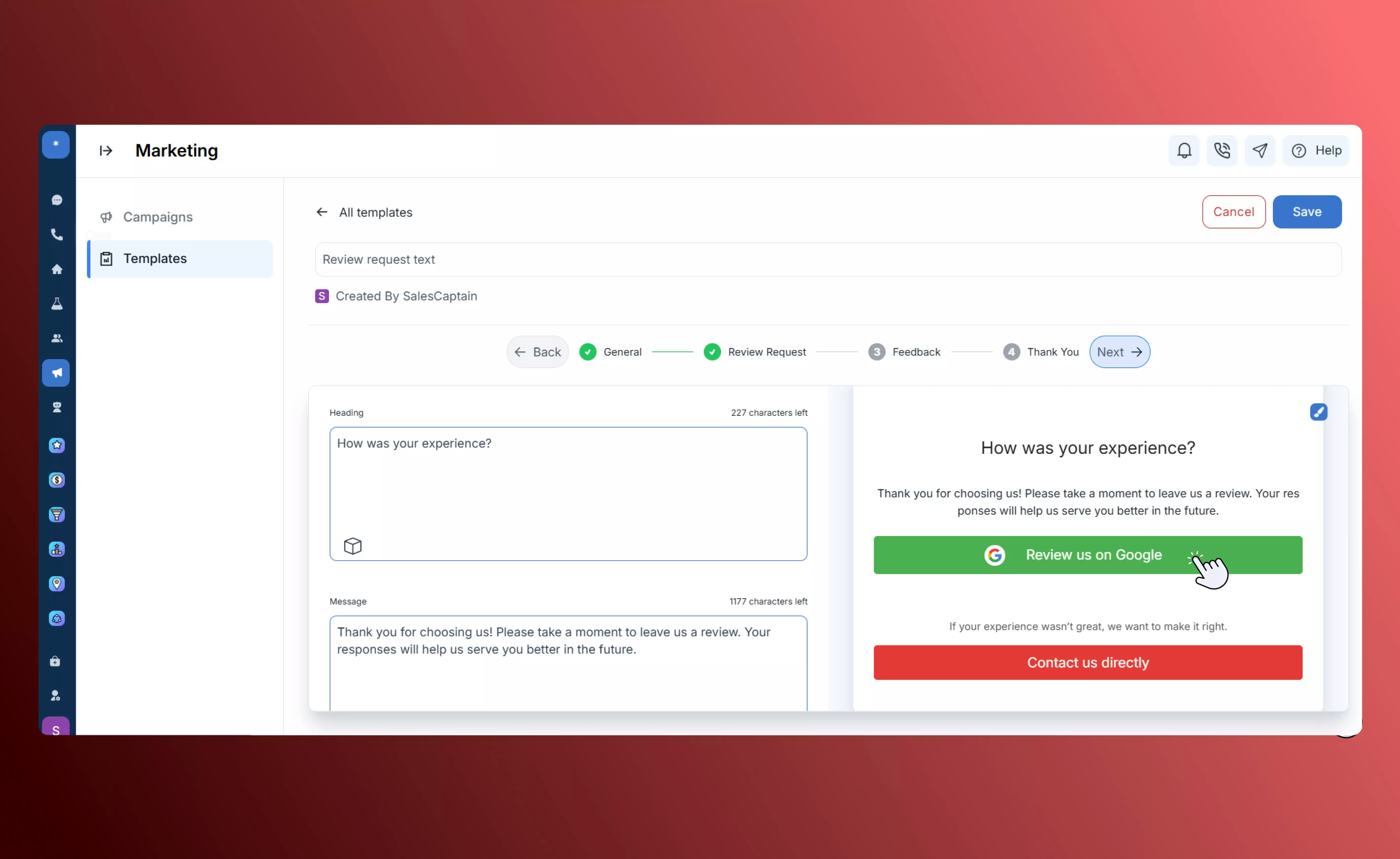 The private form is fully editable and allows customers to leave detailed comments. All responses are delivered directly to your SalesCaptain inbox for review
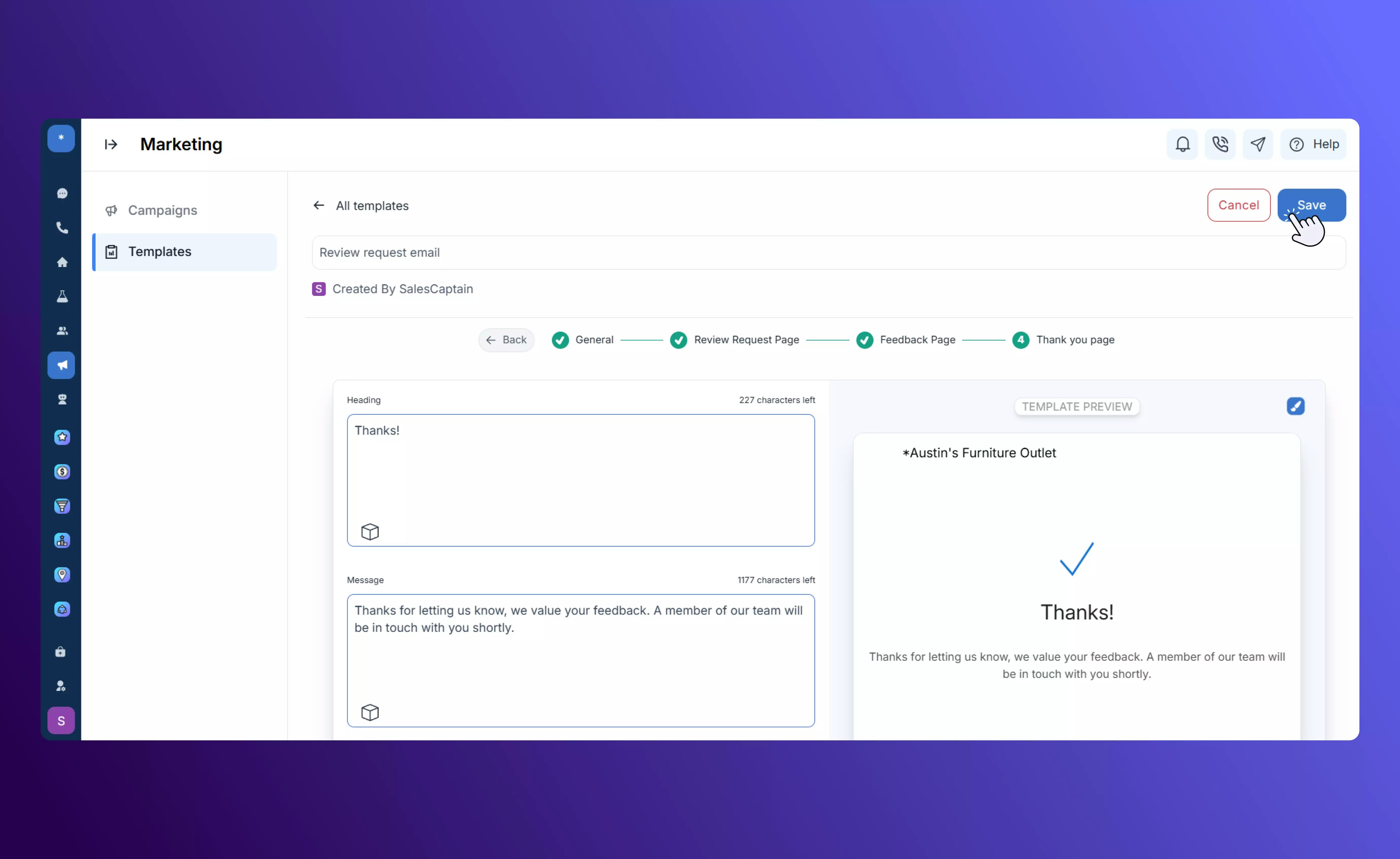
 After submission, customers see a customizable confirmation message thanking them for their feedback.
 ## **Referral**
The **Referral** template drives word-of-mouth growth through shareable referral links.
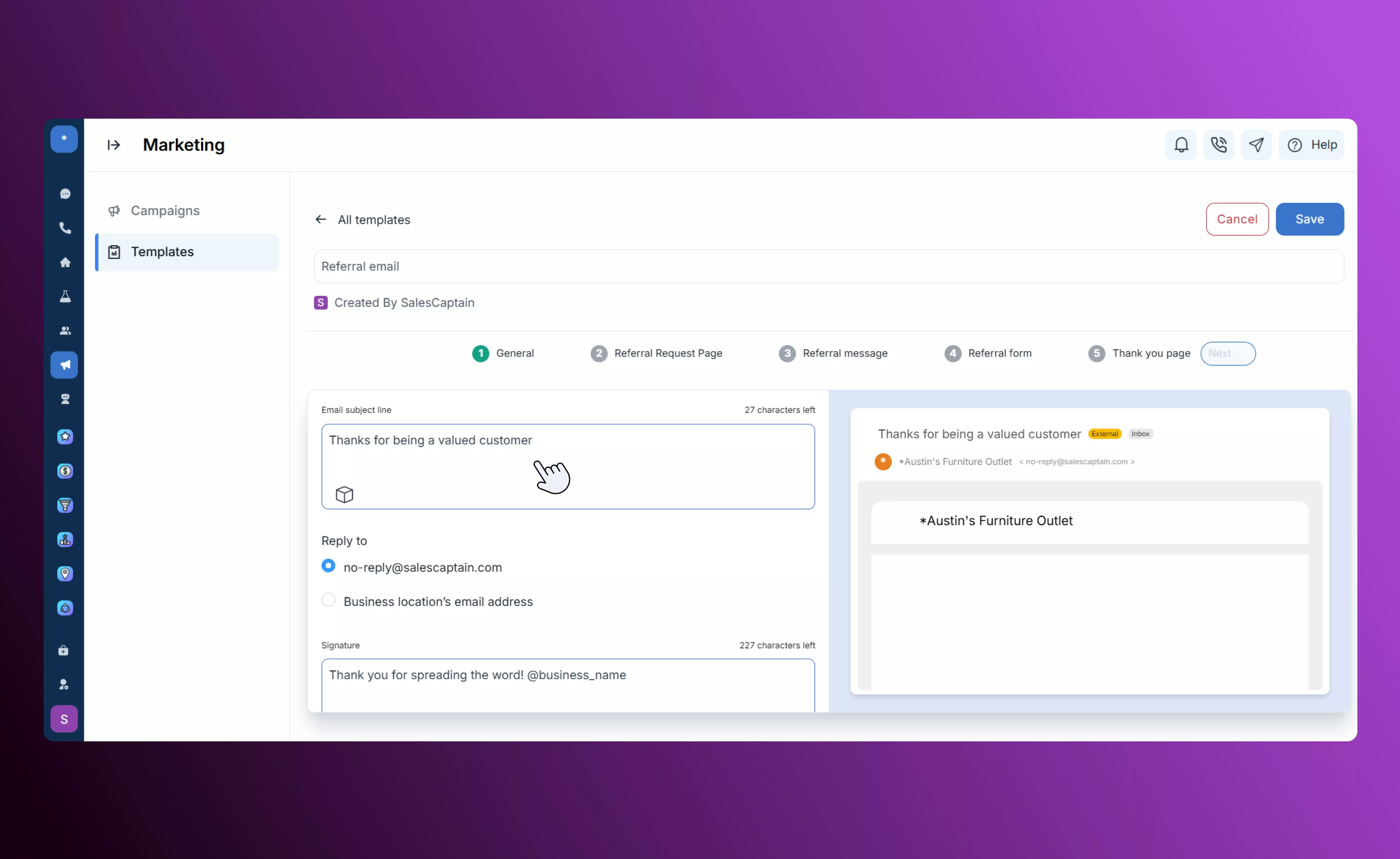
Create your invite message encouraging customers to share your business with friends.
## **Referral**
The **Referral** template drives word-of-mouth growth through shareable referral links.
Create your invite message encouraging customers to share your business with friends.
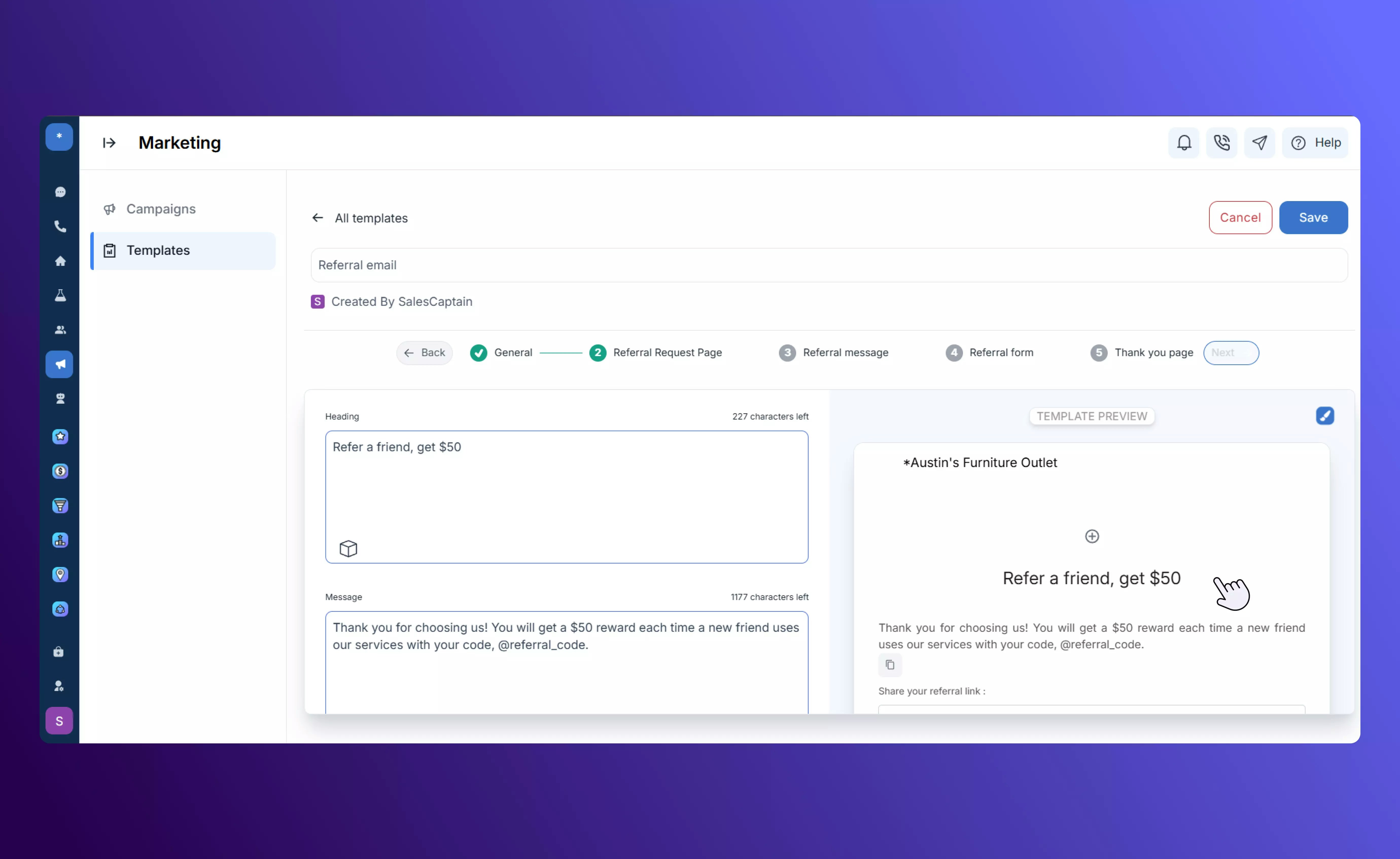
 When customers click the link, they’re directed to a page that automatically generates a **unique, shareable referral link**, with options to send it via SMS or email.
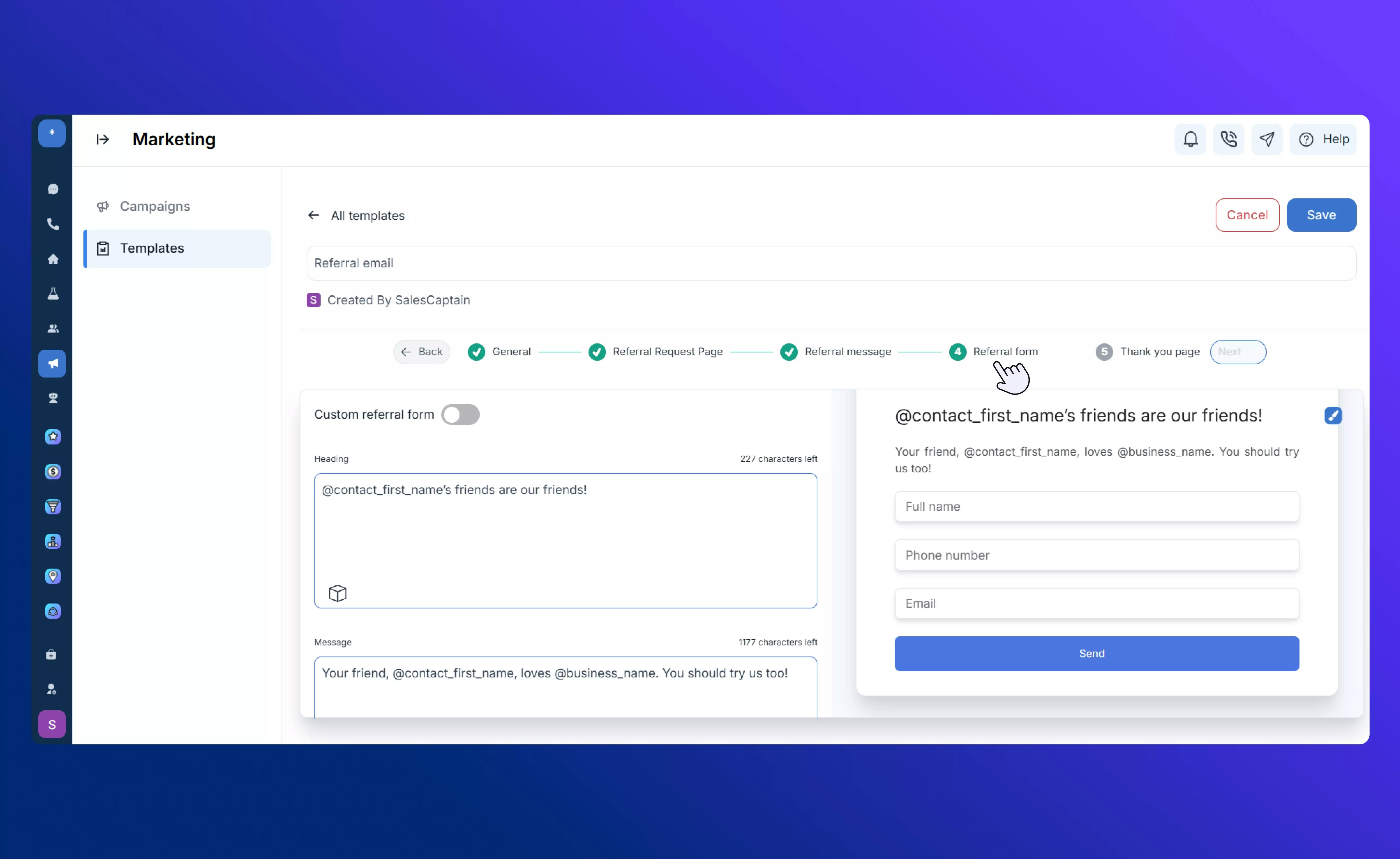
 Customers can input their friends’ details directly through a simple text-based form.
Alternatively, customers can fill out an email form optimized for desktop users.
Customers can input their friends’ details directly through a simple text-based form.
Alternatively, customers can fill out an email form optimized for desktop users.
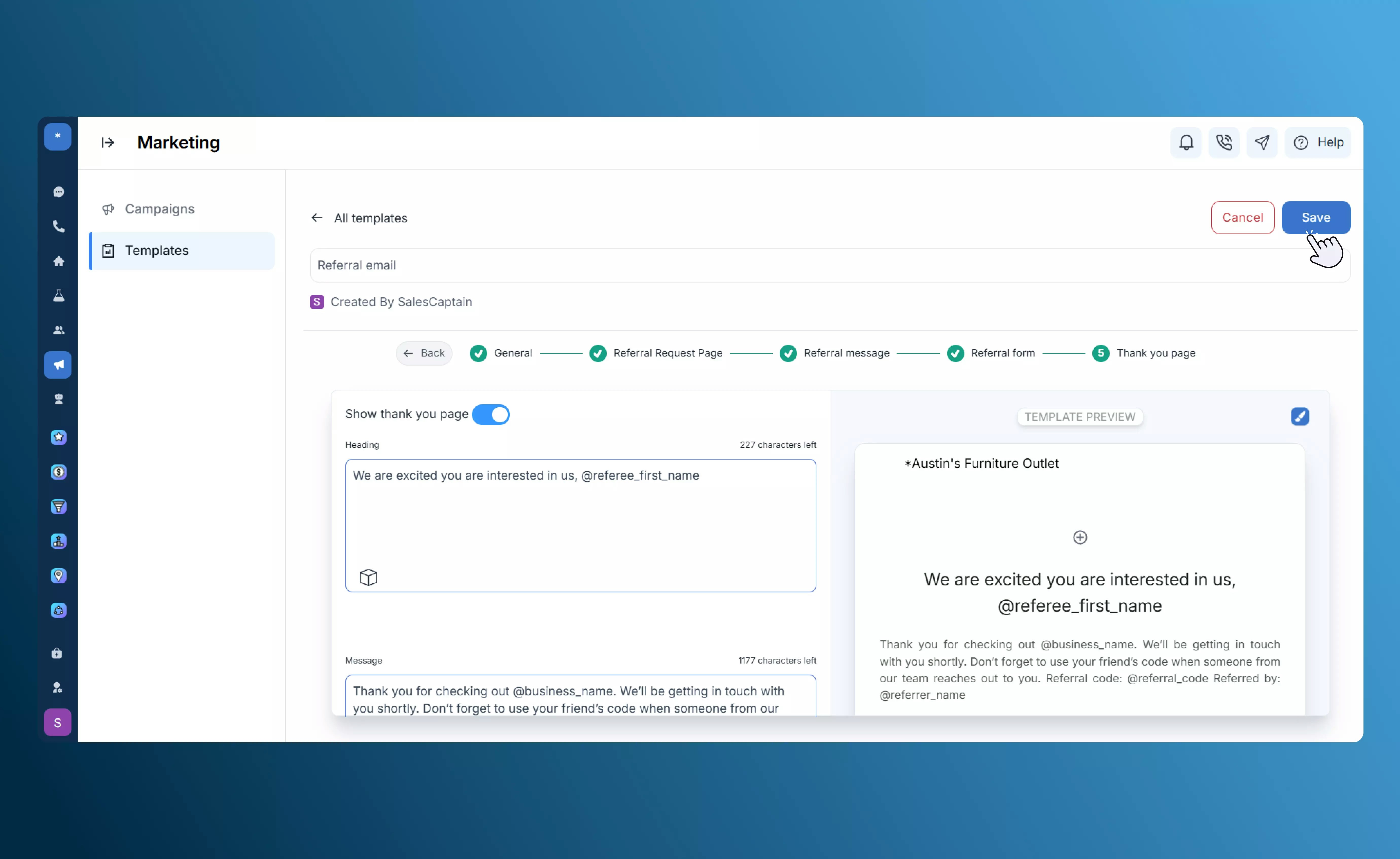
 After submitting, customers see a thank-you message confirming their referral has been recorded.
 Track performance through built-in tabs:
* **Sent:** Requests sent to customers.
* **Shared:** Customers who shared their link.
* **Received:** New leads generated from referrals.
Once you create a referral template, you can track and manage your requests throught the [Referrals](/Marketplace-and-Integrations/Applications/Referrals) app installed from the SalesCaptain marketplace. This gives you full visibility into referral activity and ensures no lead is missed.
## **Customer Experience**
The **Customer Experience** template helps you gather actionable insights and guide customers based on their satisfaction.
Compose the initial SMS message that invites your customer to provide feedback on their recent experience. Include personalization tokens like `@contact.name` or `@business.name` to make the message feel personal.
Track performance through built-in tabs:
* **Sent:** Requests sent to customers.
* **Shared:** Customers who shared their link.
* **Received:** New leads generated from referrals.
Once you create a referral template, you can track and manage your requests throught the [Referrals](/Marketplace-and-Integrations/Applications/Referrals) app installed from the SalesCaptain marketplace. This gives you full visibility into referral activity and ensures no lead is missed.
## **Customer Experience**
The **Customer Experience** template helps you gather actionable insights and guide customers based on their satisfaction.
Compose the initial SMS message that invites your customer to provide feedback on their recent experience. Include personalization tokens like `@contact.name` or `@business.name` to make the message feel personal.
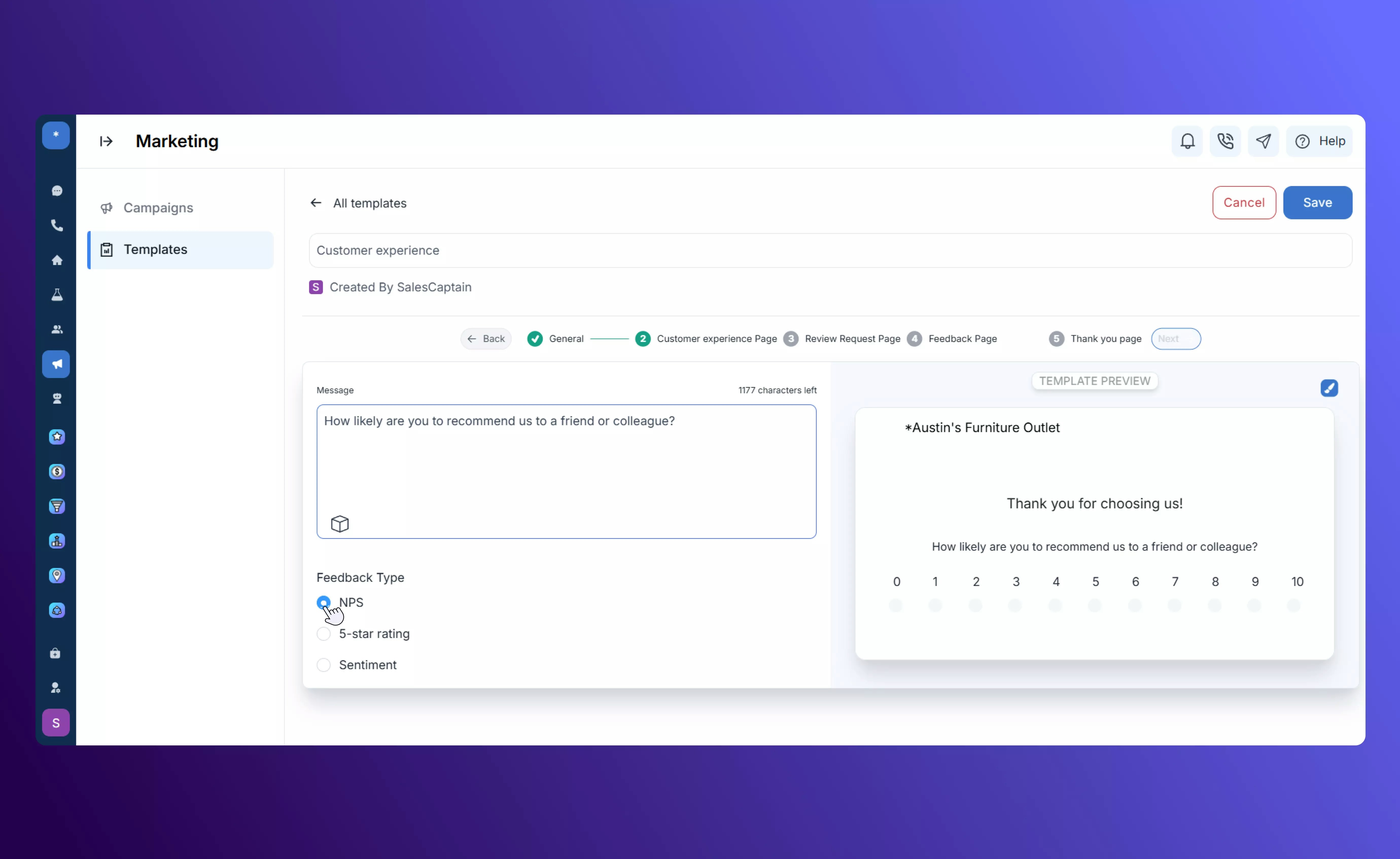
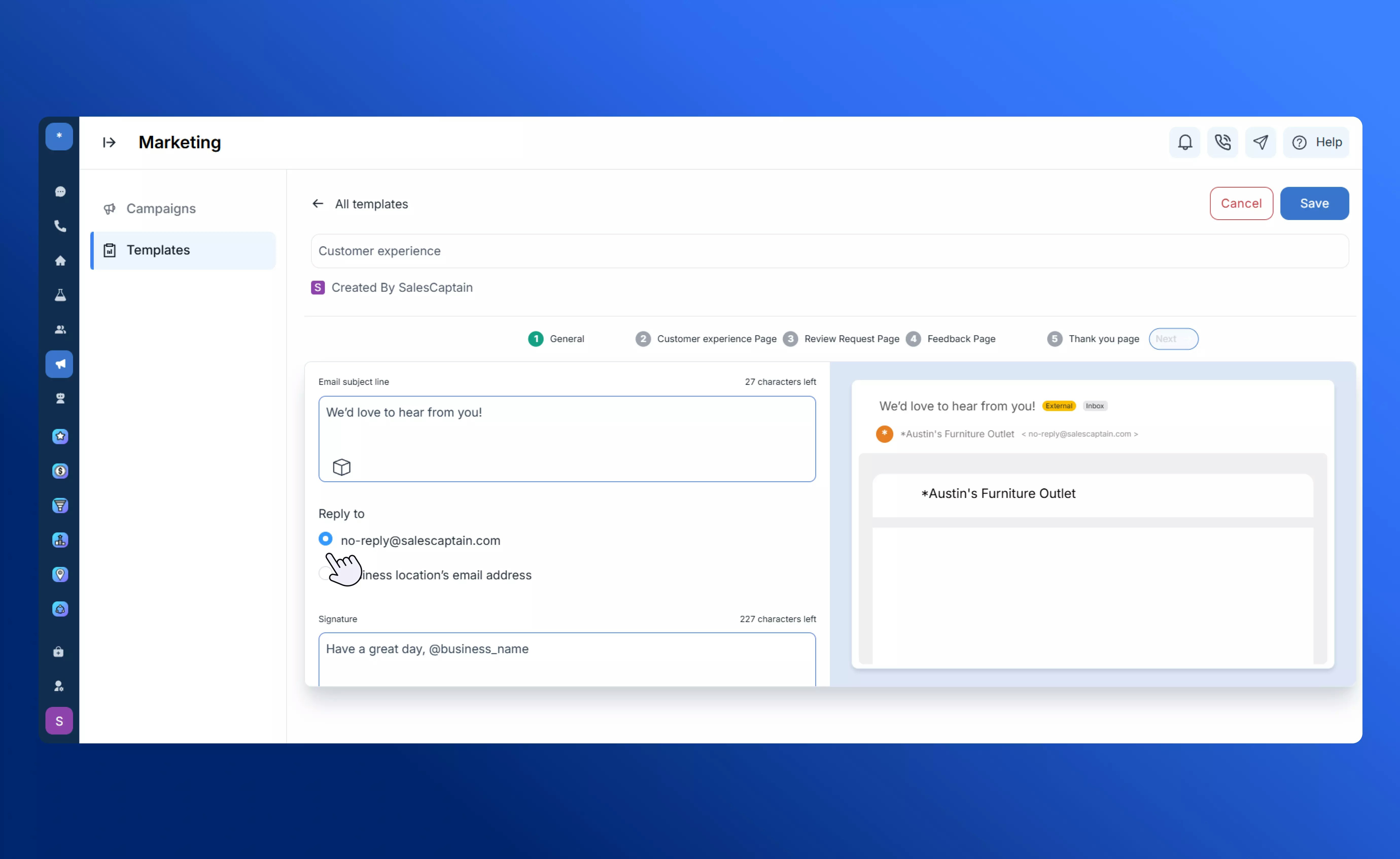 Configure the rating page your customer will see when they click the link. You can select the rating system that fits your needs:
* NPS (Net Promoter Score)
* Star ratings
* Emoji-based satisfaction scale
Configure the rating page your customer will see when they click the link. You can select the rating system that fits your needs:
* NPS (Net Promoter Score)
* Star ratings
* Emoji-based satisfaction scale
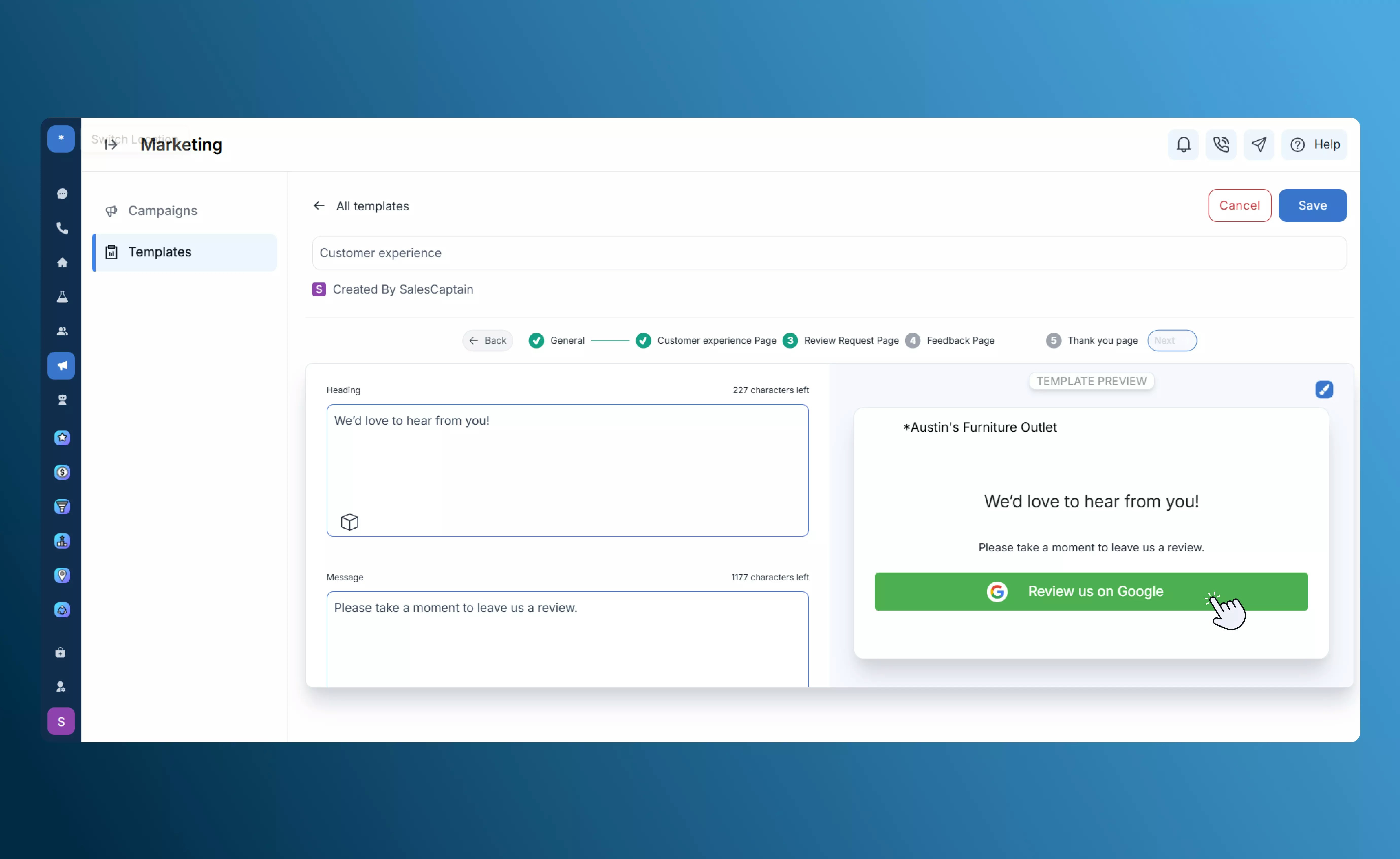
 Define the action for customers who give positive ratings. Typically, these customers are directed to leave an online **review** to boost your public reputation.
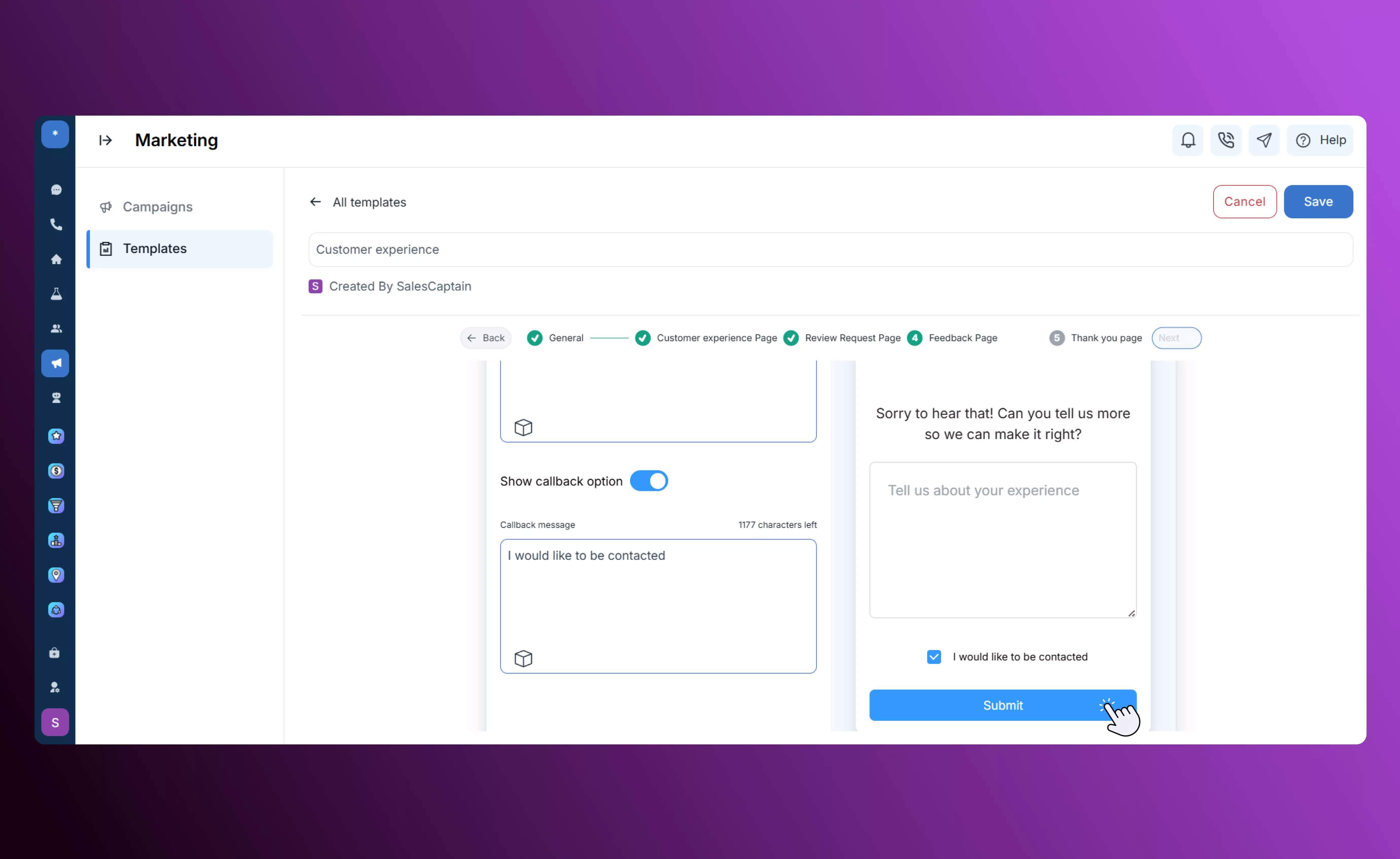
 Define the action for customers who provide lower ratings. These responses are routed to a **private feedback form**, allowing you to capture constructive input.
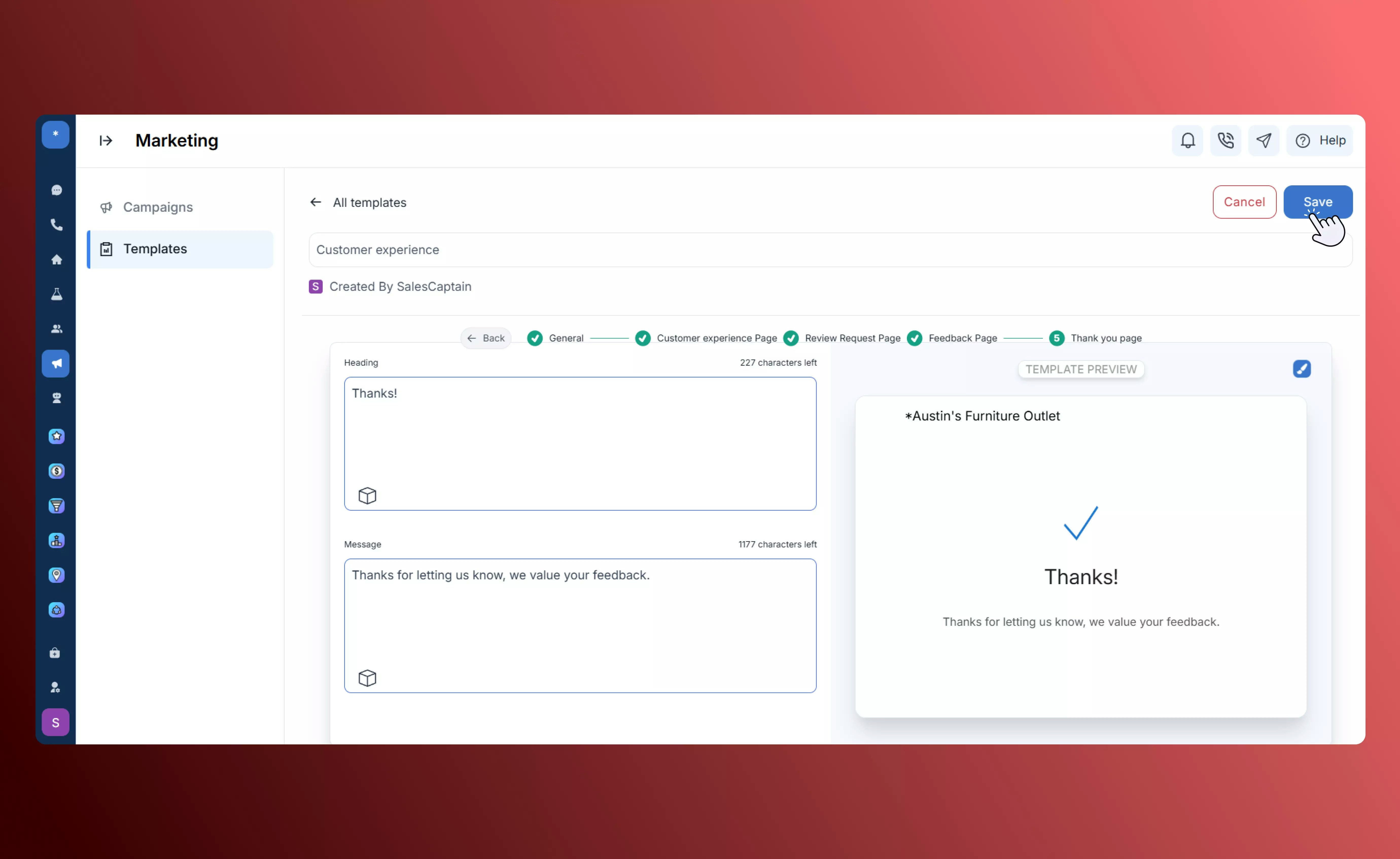
 Customize the final confirmation page that customers see after submitting their feedback. This closing message acknowledges their input and reinforces a positive brand experience.
 ## **Tips & Best Practices**
* Keep messages **short, clear, and conversational**.
* Use **tokens** to personalize each message.
* **Test templates** before sending them live.
* Adjust landing pages and thank-you text to match your **brand voice**.
* Regularly **monitor referral and review metrics** to optimize results.
## **Tips & Best Practices**
* Keep messages **short, clear, and conversational**.
* Use **tokens** to personalize each message.
* **Test templates** before sending them live.
* Adjust landing pages and thank-you text to match your **brand voice**.
* Regularly **monitor referral and review metrics** to optimize results.