> ## Documentation Index
> Fetch the complete documentation index at: https://docs.salescaptain.com/llms.txt
> Use this file to discover all available pages before exploring further.
# Managing Conversations
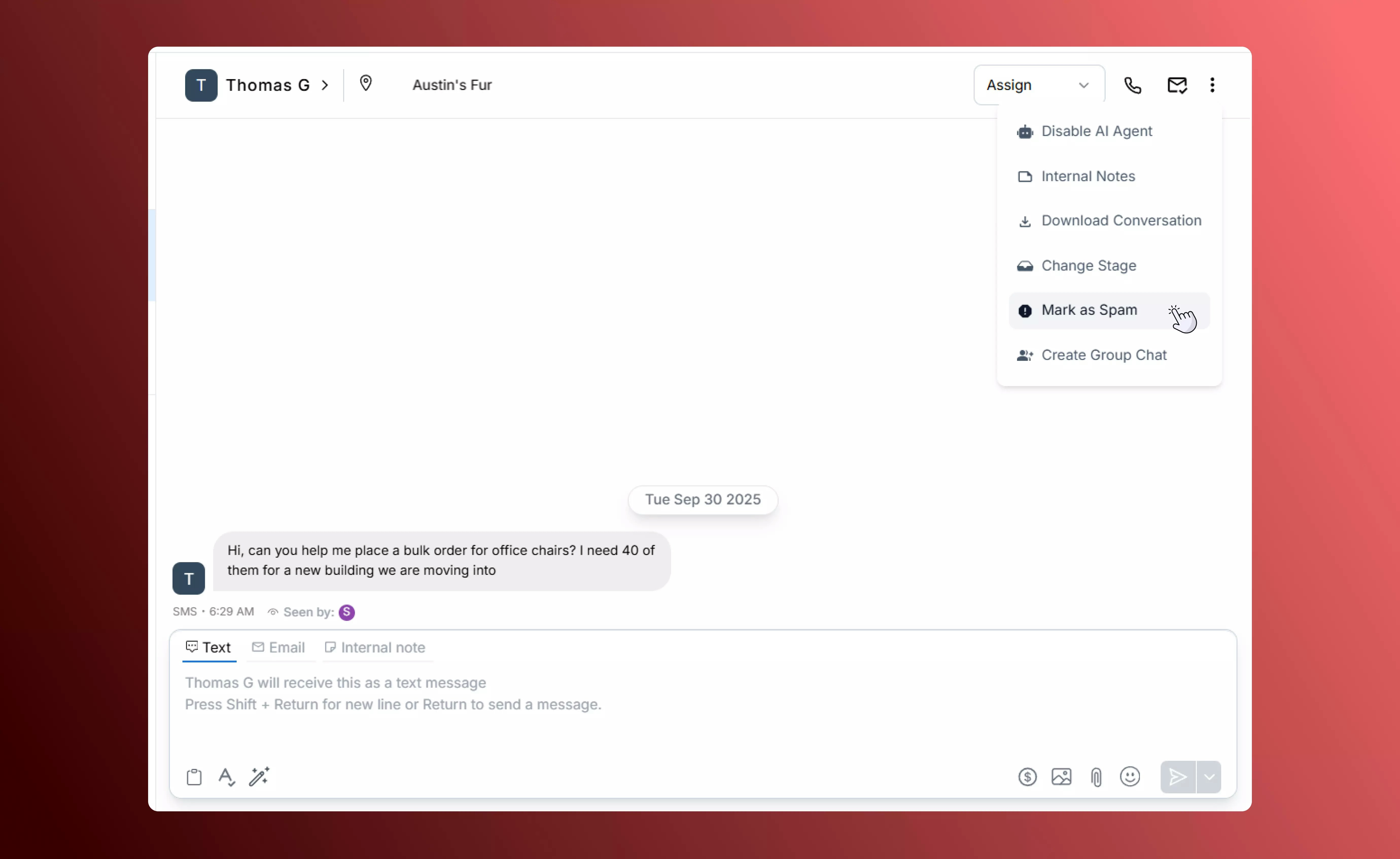
> SalesCaptain makes it simple to keep every customer interaction organised. From assigning and transferring threads to adding internal notes or marking spam, you can manage conversations directly inside the Inbox without losing context.
## **Opening and Closing Conversations**
Keep your Inbox tidy by closing conversations that no longer need a response. Open conversations stay visible until you close them, and closed conversations automatically reopen if the customer replies again.
 ## **Assigning and Unassigning Conversations**
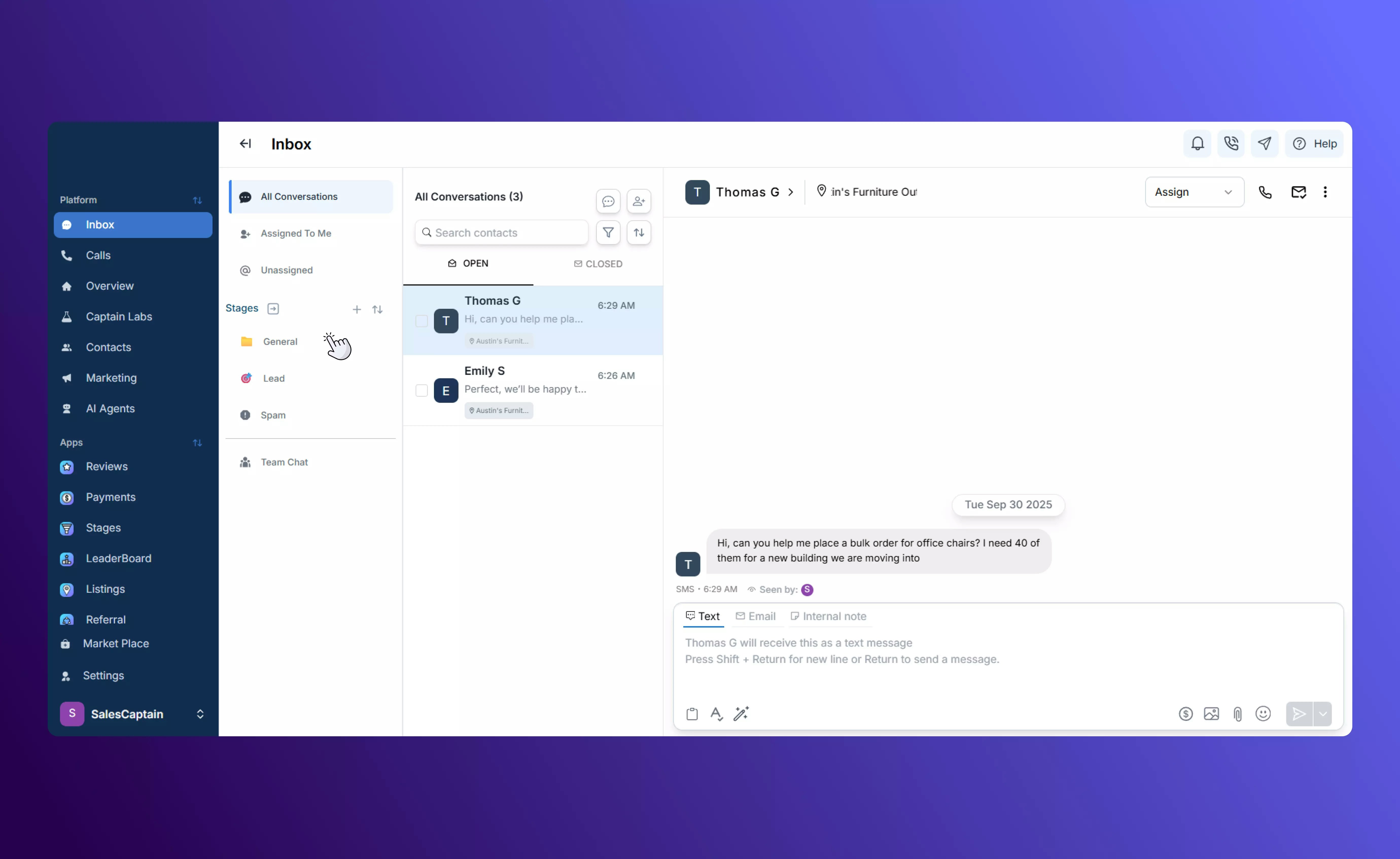
Make sure every customer gets prompt attention by assigning conversations to the right team member or location. Assign a conversation so it appears under “Assigned to Me,” or unassign it to make it available for someone else. Owners and managers can see and reassign any conversation as needed.
## **Assigning and Unassigning Conversations**
Make sure every customer gets prompt attention by assigning conversations to the right team member or location. Assign a conversation so it appears under “Assigned to Me,” or unassign it to make it available for someone else. Owners and managers can see and reassign any conversation as needed.
 ## **Transferring Between Locations**
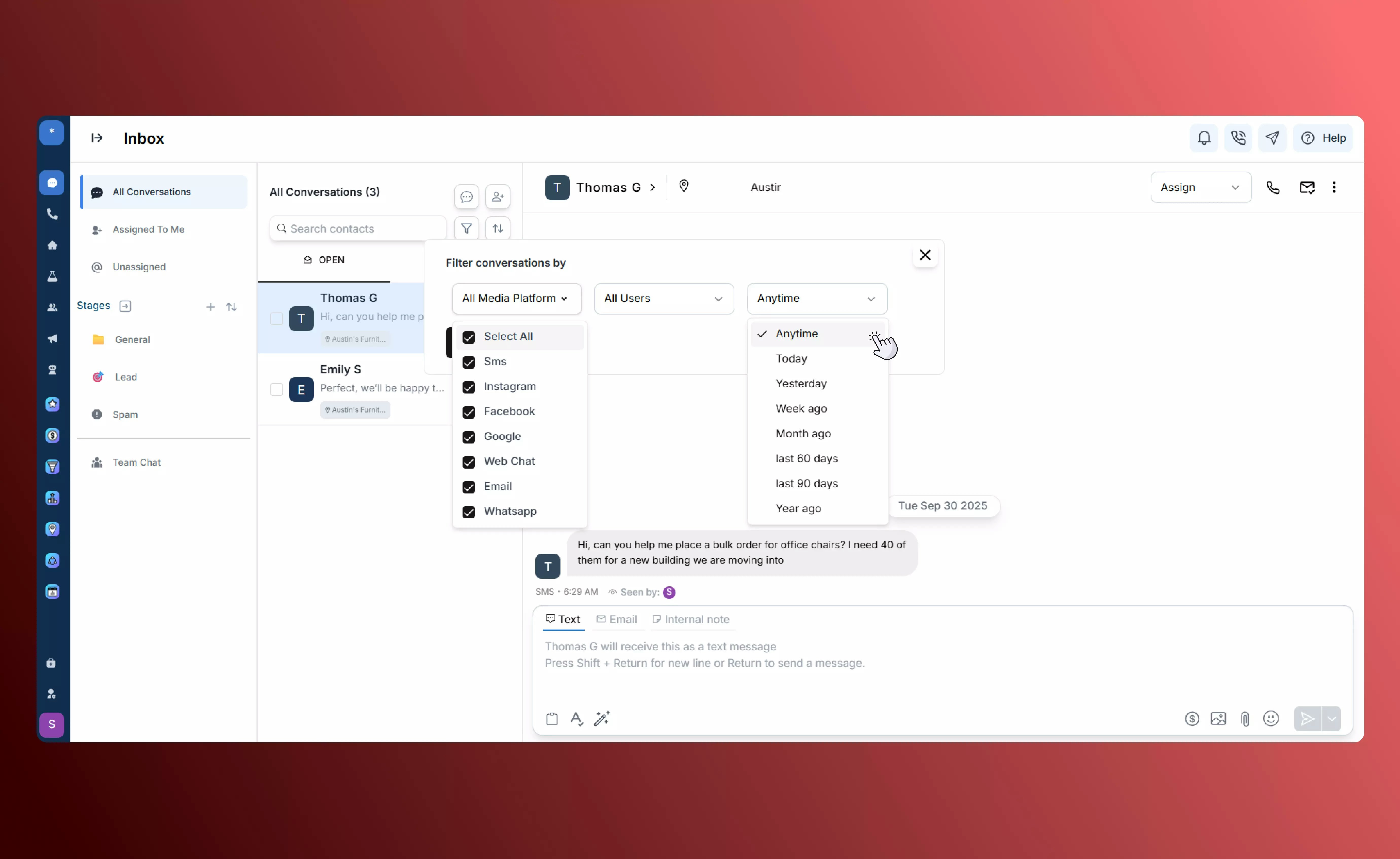
If your business has multiple locations, you can transfer a conversation to the appropriate site with one click. This ensures that messages go to the right team and that customers receive location-specific service.
## **Adding Internal Notes**
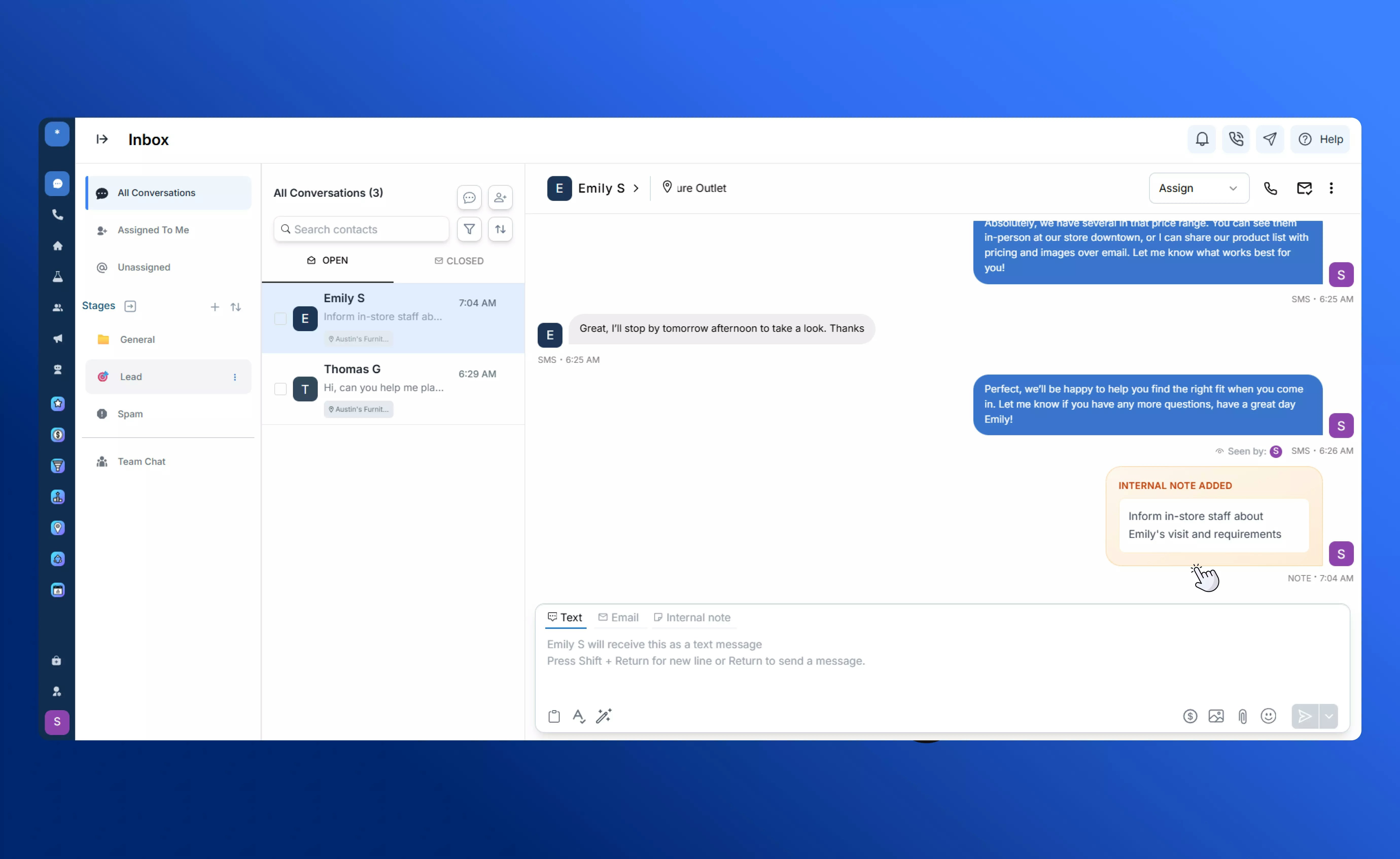
Use internal notes to collaborate with your team directly inside a conversation. Notes are visible only to your team, not to the customer, and they appear inline with the message history so everyone stays on the same page.
## **Transferring Between Locations**
If your business has multiple locations, you can transfer a conversation to the appropriate site with one click. This ensures that messages go to the right team and that customers receive location-specific service.
## **Adding Internal Notes**
Use internal notes to collaborate with your team directly inside a conversation. Notes are visible only to your team, not to the customer, and they appear inline with the message history so everyone stays on the same page.
 ## **Downloading Conversation History**
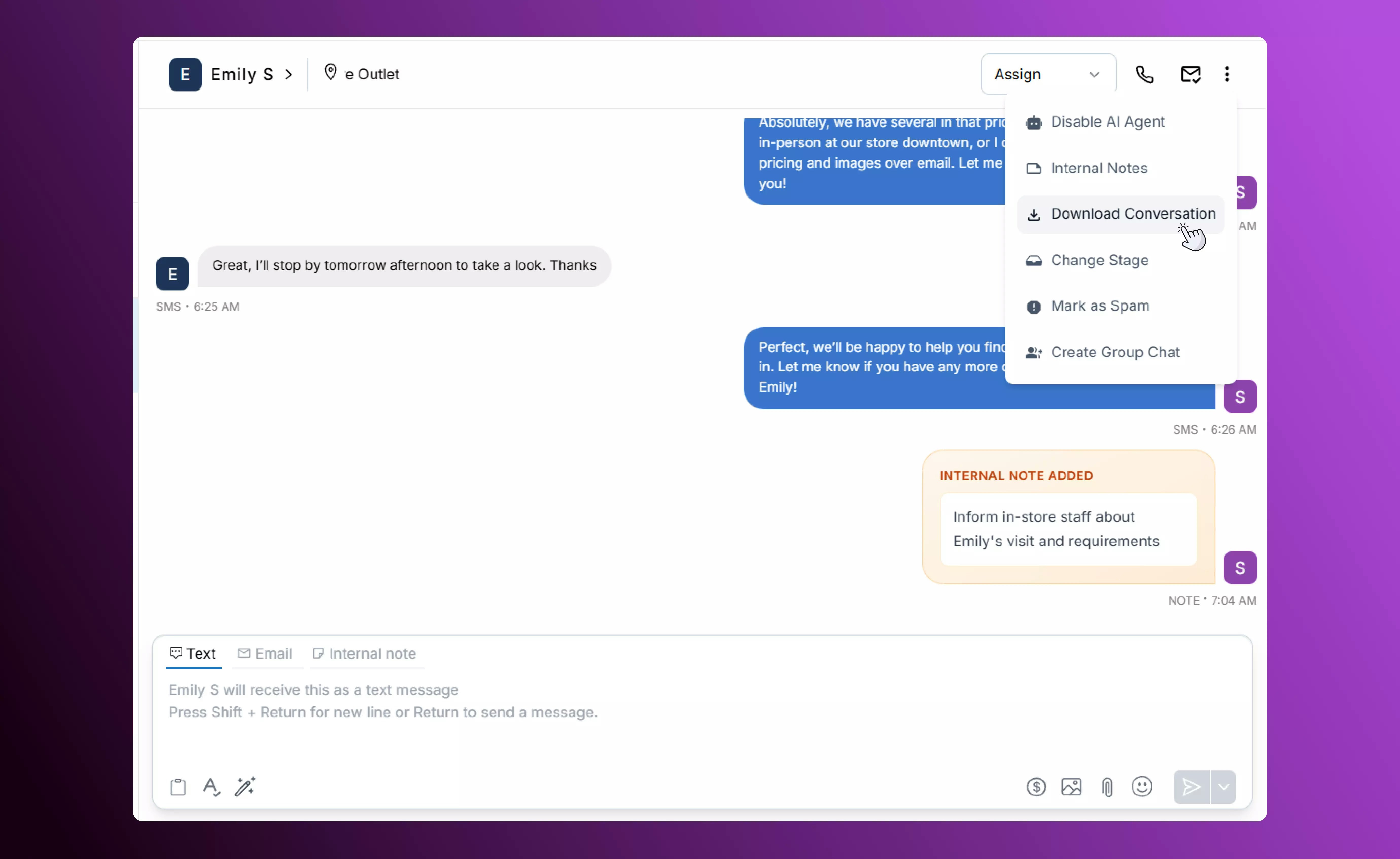
Need a record of a customer exchange? Download the entire conversation history with one click. This creates an easy-to-share archive for compliance, training, or customer follow-up.
## **Downloading Conversation History**
Need a record of a customer exchange? Download the entire conversation history with one click. This creates an easy-to-share archive for compliance, training, or customer follow-up.
 ## **Marking Conversations as Spam**
If you receive unwanted or fraudulent messages, mark the conversation as spam. All future messages from that contact will be clearly labelled as spam, helping your team focus on legitimate customer inquiries.
## **Marking Conversations as Spam**
If you receive unwanted or fraudulent messages, mark the conversation as spam. All future messages from that contact will be clearly labelled as spam, helping your team focus on legitimate customer inquiries.
 ## **Best Practices**
* **Prioritize Conversations Efficiently**: Use assignment and location transfers to make sure urgent threads reach the right team members quickly.
* **Collaborate with Internal Notes**: Add context, reminders, or instructions directly in conversations so your team stays aligned without sending extra messages.
* **Maintain Inbox Hygiene**: Close resolved threads, mark spam promptly, and download important histories to keep the Inbox organized and actionable.
## **Best Practices**
* **Prioritize Conversations Efficiently**: Use assignment and location transfers to make sure urgent threads reach the right team members quickly.
* **Collaborate with Internal Notes**: Add context, reminders, or instructions directly in conversations so your team stays aligned without sending extra messages.
* **Maintain Inbox Hygiene**: Close resolved threads, mark spam promptly, and download important histories to keep the Inbox organized and actionable.