> ## Documentation Index
> Fetch the complete documentation index at: https://docs.salescaptain.com/llms.txt
> Use this file to discover all available pages before exploring further.
# Sending Messages
> SalesCaptain makes it easy to send texts, emails, and social messages from one place. With built-in tools like templates, scheduling, translation, and secure payment requests, your team can respond faster and keep every interaction on-brand.
## **Composing Messages in SalesCaptain**
### **1. Unified Composer**
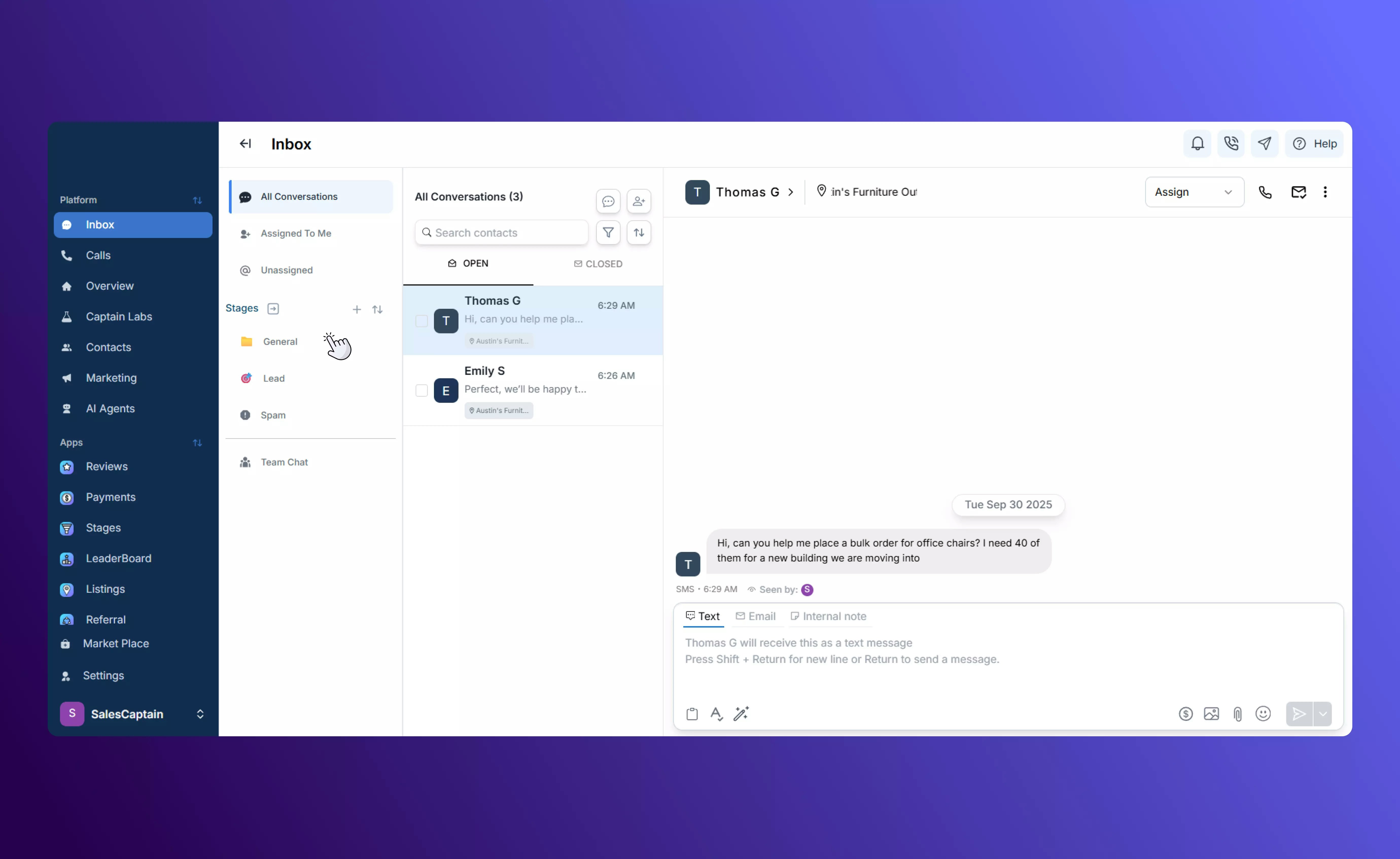
From any conversation, use the message composer at the bottom of the screen to type and send your reply. All channels — SMS, email, social, and webchat — are supported, so you don’t need to switch apps.
For an overview of how messages from all channels appear together, visit our [Inbox Features](Inbox-Overview) page.
### **2. Quick Send Bar**
Send a “quick message” without typing by choosing from saved templates in the Quick Send bar at the top. (Only templates can be sent from here, free typing is disabled.)
## **Smart Composer Tools**
At the bottom of every conversation, the message composer includes built-in tools to help you craft better messages:
* **Templates**: Insert pre-written text, email, or call templates created in the Marketing tab.
 * **Spellcheck**: Quickly check your message for typos before you hit send.
 * **Magic AI**: Drafts a new message automatically by looking at your past conversations with the customer.
 Tip:
* **Enter** sends your message
* **Shift + Enter** starts a new line without sending
You can attach media, files, or emojis to any message.
## **Translate Messages Automatically**
If you serve multilingual customers, you can enable AI translation. By default, the Inbox can translate between English and Spanish, but you can configure other language pairs in your settings. This lets your team write in one language while customers read and reply in another.
## **Payments**
Use the **Payment Request** button in the composer to send a secure payment link directly from the Inbox. Install the \*\*Payments \*\*app in the **Marketplace** and connect your preferred method of handling payments to enable this feature in the inbox.
Tip:
* **Enter** sends your message
* **Shift + Enter** starts a new line without sending
You can attach media, files, or emojis to any message.
## **Translate Messages Automatically**
If you serve multilingual customers, you can enable AI translation. By default, the Inbox can translate between English and Spanish, but you can configure other language pairs in your settings. This lets your team write in one language while customers read and reply in another.
## **Payments**
Use the **Payment Request** button in the composer to send a secure payment link directly from the Inbox. Install the \*\*Payments \*\*app in the **Marketplace** and connect your preferred method of handling payments to enable this feature in the inbox.
 If you have a customer’s payment information on file, you can also directly make a charge to their associated credit card or bank account.
 ## **Scheduling**
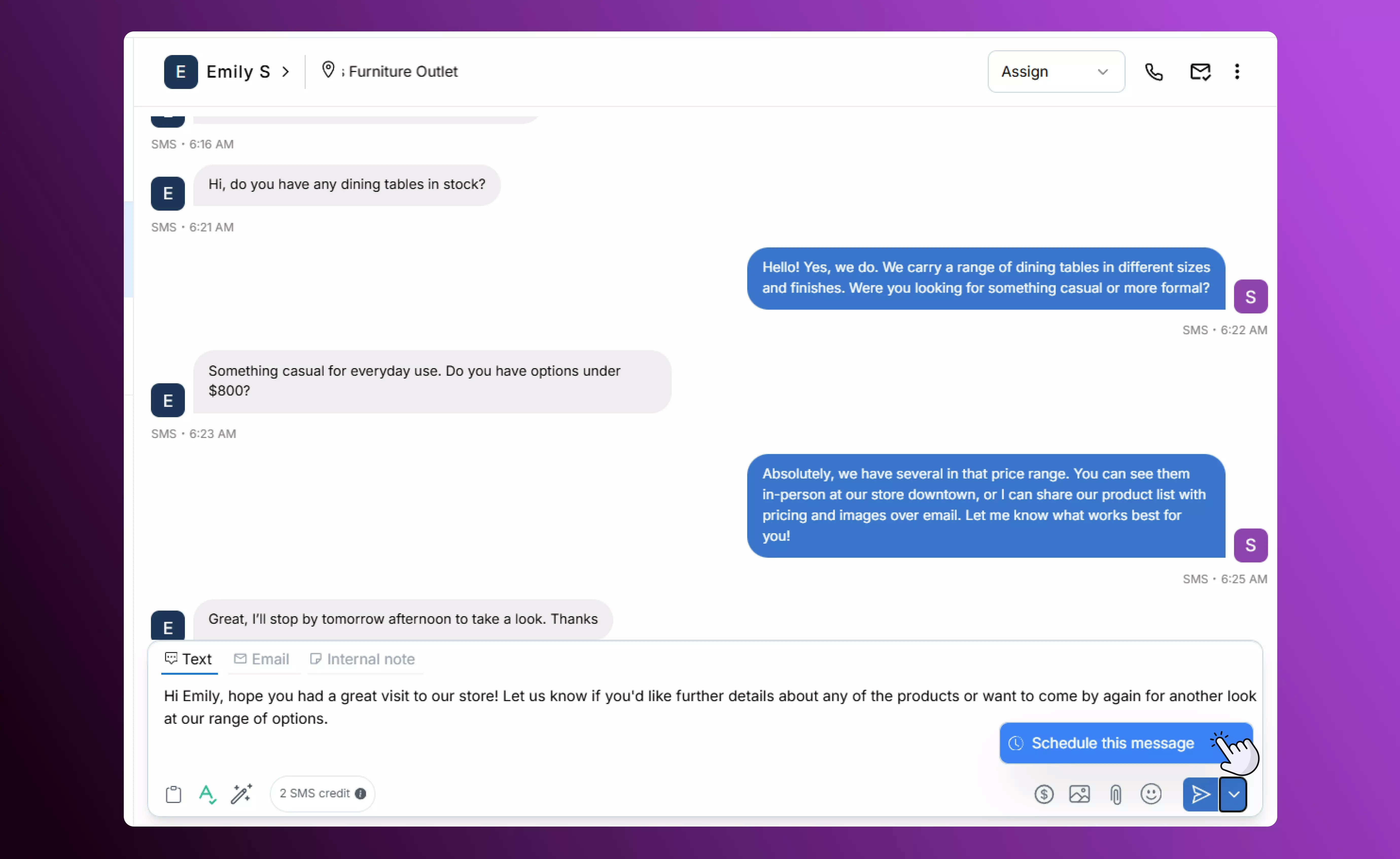
Need your message to go out later? Schedule it right from the composer. Your message will automatically send at the date and time you choose.
## **Scheduling**
Need your message to go out later? Schedule it right from the composer. Your message will automatically send at the date and time you choose.
 ## **Credit Tracking**
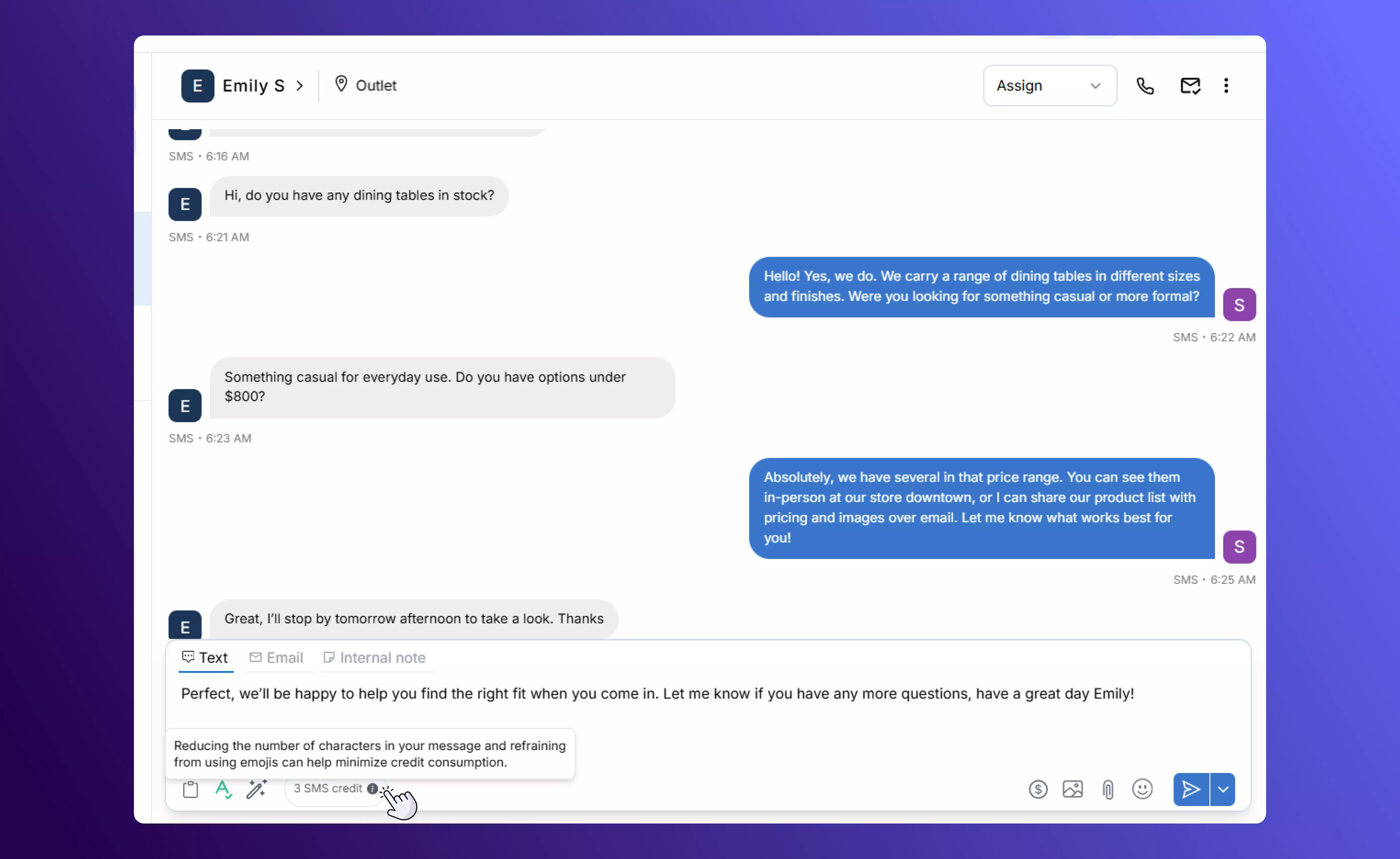
Each SMS consumes credits. Before sending, the composer shows how many credits will be used so you can plan outreach and control costs.
## **Credit Tracking**
Each SMS consumes credits. Before sending, the composer shows how many credits will be used so you can plan outreach and control costs.
 ## **Best Practices**
* **Use Templates and Magic AI** to speed up replies while keeping them personalized.
* **Schedule Messages** to reach customers at the most effective times.
* **Enable Translation** for seamless communication with multilingual customers.
* **Monitor Credit Usage** to control costs and plan outreach efficiently.
## **Best Practices**
* **Use Templates and Magic AI** to speed up replies while keeping them personalized.
* **Schedule Messages** to reach customers at the most effective times.
* **Enable Translation** for seamless communication with multilingual customers.
* **Monitor Credit Usage** to control costs and plan outreach efficiently.